101
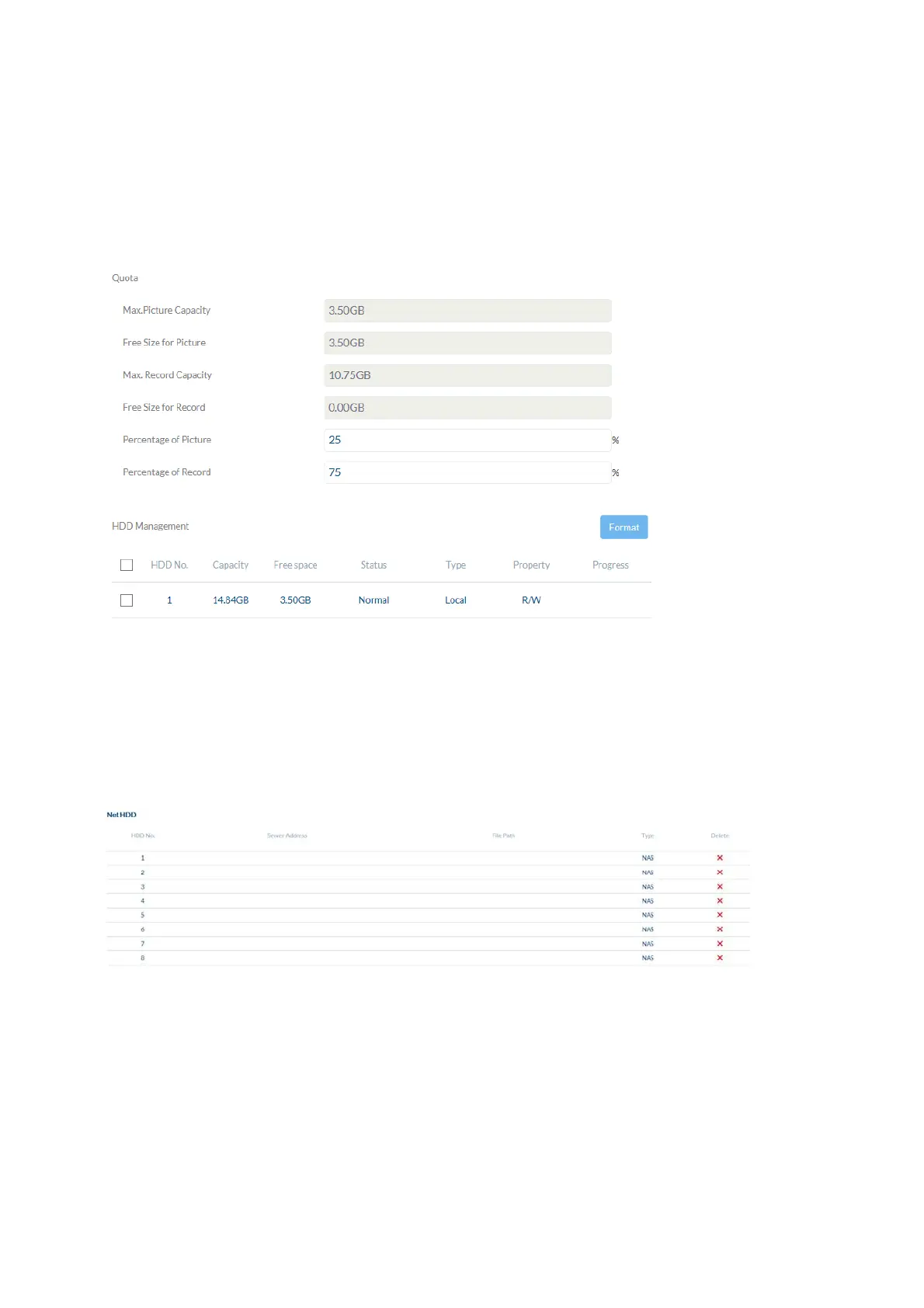
7.7.3 Storage management
Device list: indicates the available storage media in the camera (SD card).
Format: formats the selected storage medium (Attention: all data are deleted).
Information: shows more storage medium information.
7.7.4 Network drive
NAS: configure up to 8 NAS devices. Click in a row to specify server address,
file path, server type, user name and password.
7.8 Local settings
Protocol: Setting the transmission protocol (default: TCP)
Live view performance: Select the priority for display in the browser here (priority on image
stream or image quality).
Live indicator: Display of all event animations in the live image (e.g. frame for
motion detection). These animations are also recorded to the
recording device.



 To Next Page