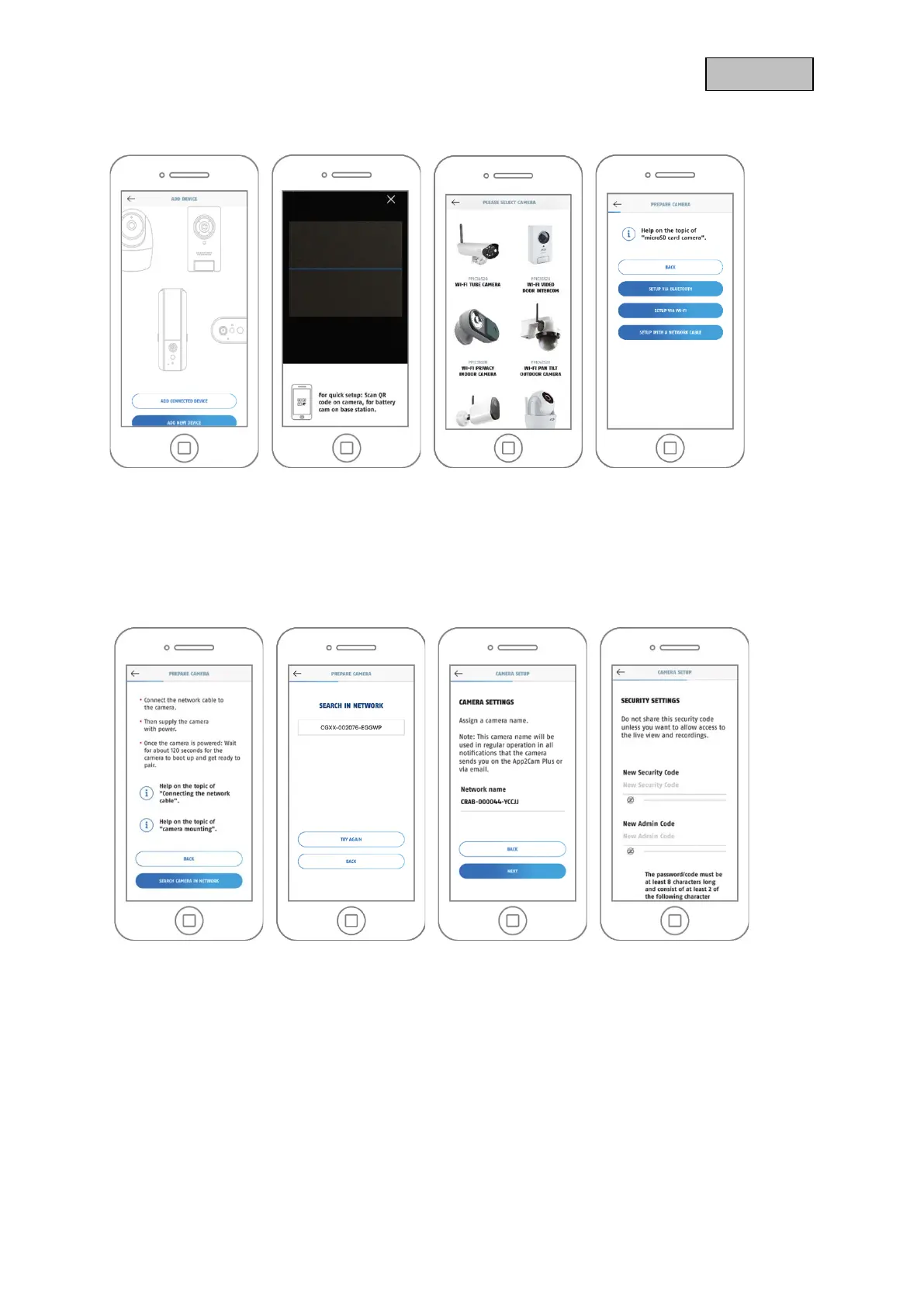
4.3.3. Setup via network cable
1. Launch the App2Cam Plus and select "Add new device" to start the startup process.
2. Option 1: Scan the QR code on the back of the camera.
3. Option 2: Select your camera model.
4. Select "Installation via network cable".
5 6 7 8
5. Connect the Micro USB - RJ45 adapter cable to the camera and use a RJ45 connector for the
connection with a network cable. Supply the camera with power. Click on "Search camera in
network".
6. Next, click on the camera identification number (DID) of your camera.
7. Assign a camera name.
8. Now assign a security code or admin password. These must not be identical. Then tap on "Next".
9. You have successfully completed startup. All settings and functions can be accessed via the menu
bar at the bottom of the screen.



 To Next Page