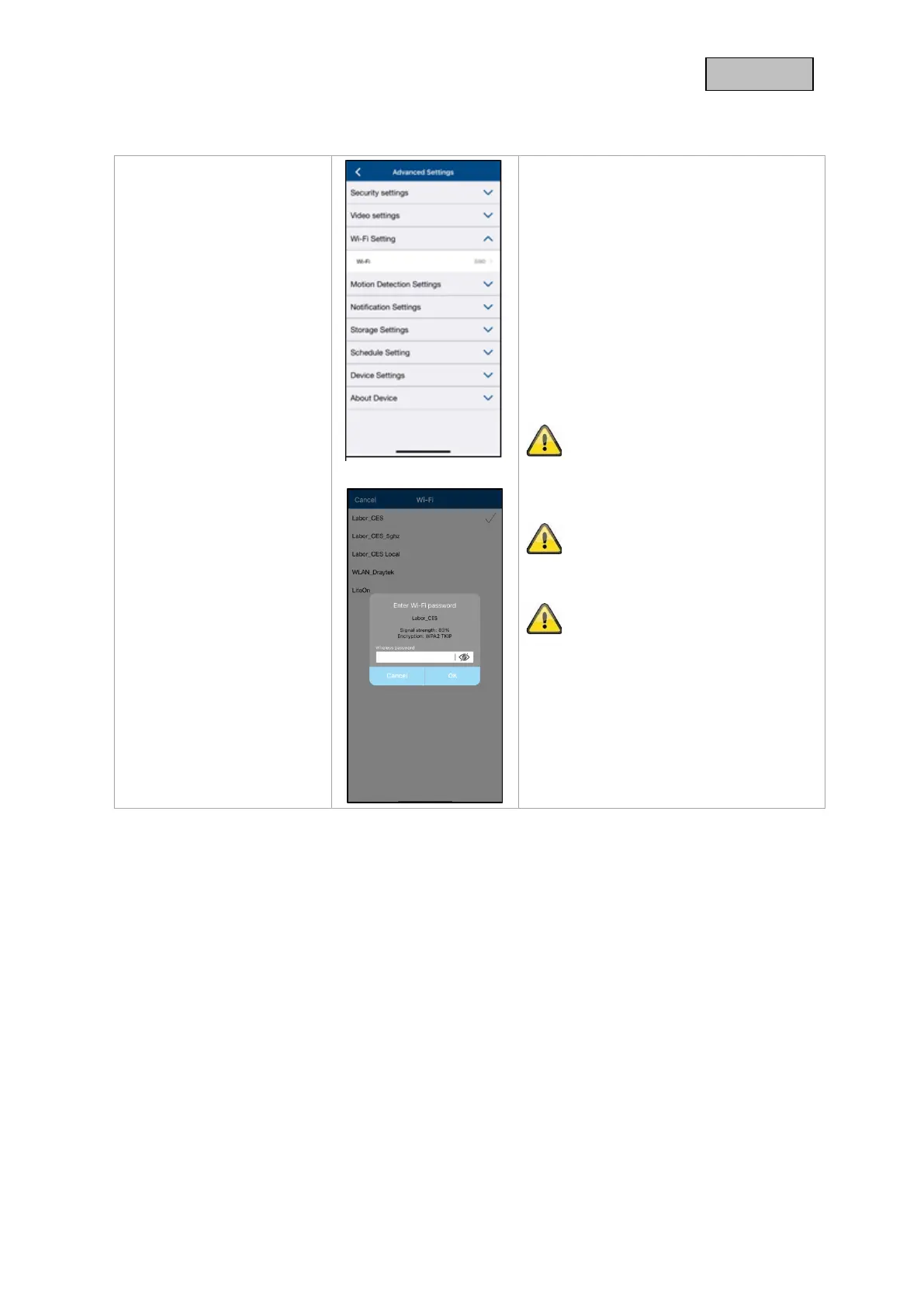
Under the WiFI settings, you can select the
desired network to which the camera is to
be connected.
When you select the menu item, all
networks in the vicinity are displayed.
Select your network and enter your in-
house WiFi password.
The password entry window will also
show you the signal strength to the
network, make sure you have sufficient
signal strength to avoid transmission
problems.
Enter the password and confirm with OK.
To prevent access by strangers, protect
your network by encrypting it with WPA/
WPA2/ WPA2-PSK.
The settings are only applied after exiting
the menu.
If the connection was unsuccessful or the
wrong WiFi information was entered,
press the reset button for 5 seconds to
reset the camera to factory settings.



 To Next Page