4.8.1. Playback functions
Create snapshot
Here you have the option to take a snapshot of your playback. The picture is then saved
in your photo gallery on your mobile device.
The saved images are time-stamped and stored in the photo gallery.
Enable/disable audio
Here you have the option to activate or deactivate audio for playback.
4.8.2. Download & Forwarding
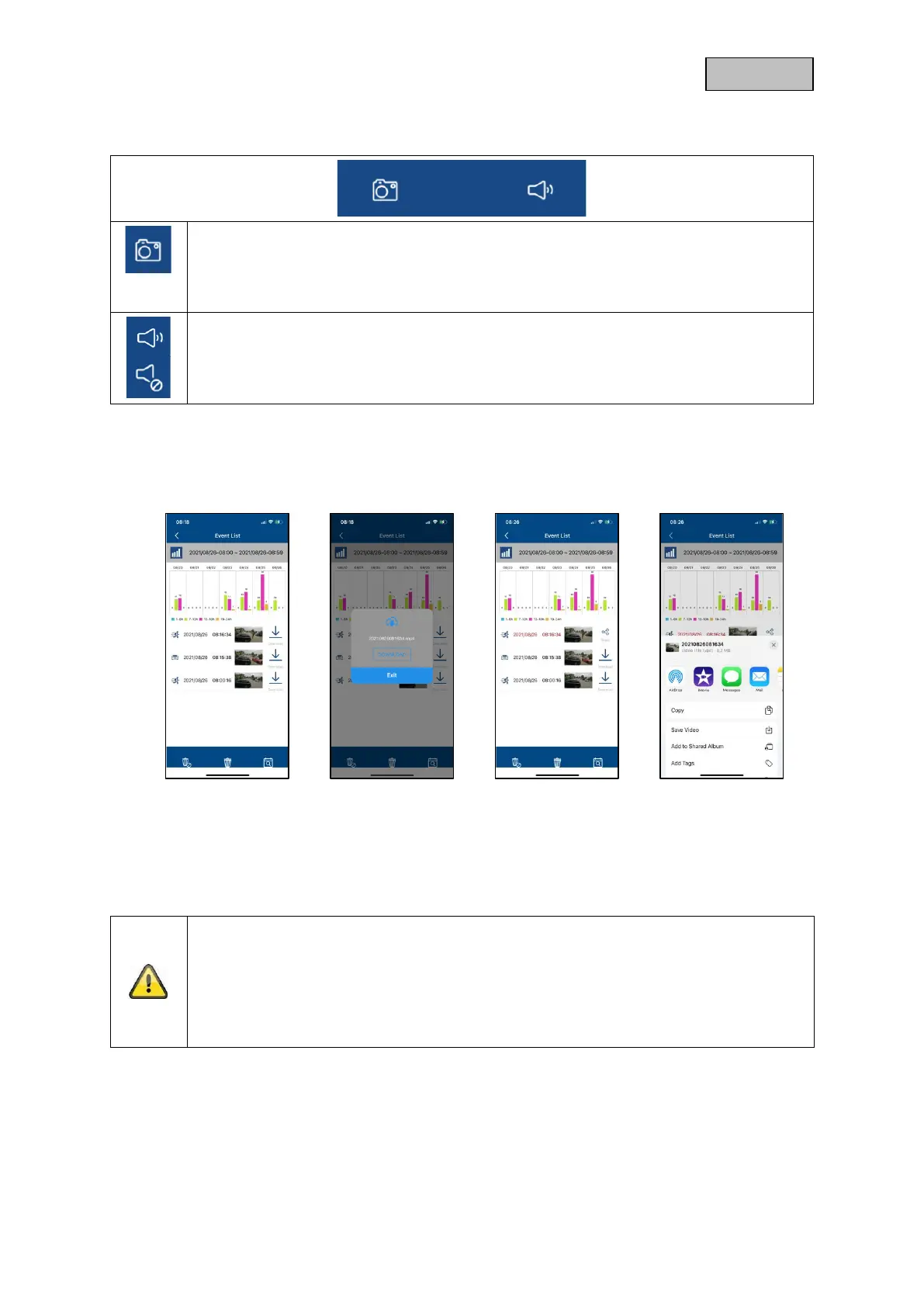
To download a file to your smartphone, click on the download icon to the right of the event. The file will
now be downloaded and displayed in red in the event list.
Now you have the possibility to share the file by clicking on Share.
Note
The downloaded data is stored differently on the iOS and Android operating systems.
iOS: Download the Event, then click Share and select "Save Video". The file will appear
in the connection in the Photos app.
Android: The saved data can be found in the device manager under "internal
memory/record/camera DID".



 To Next Page