4.9. Advanced settings
4.9.1. Open advanced settings
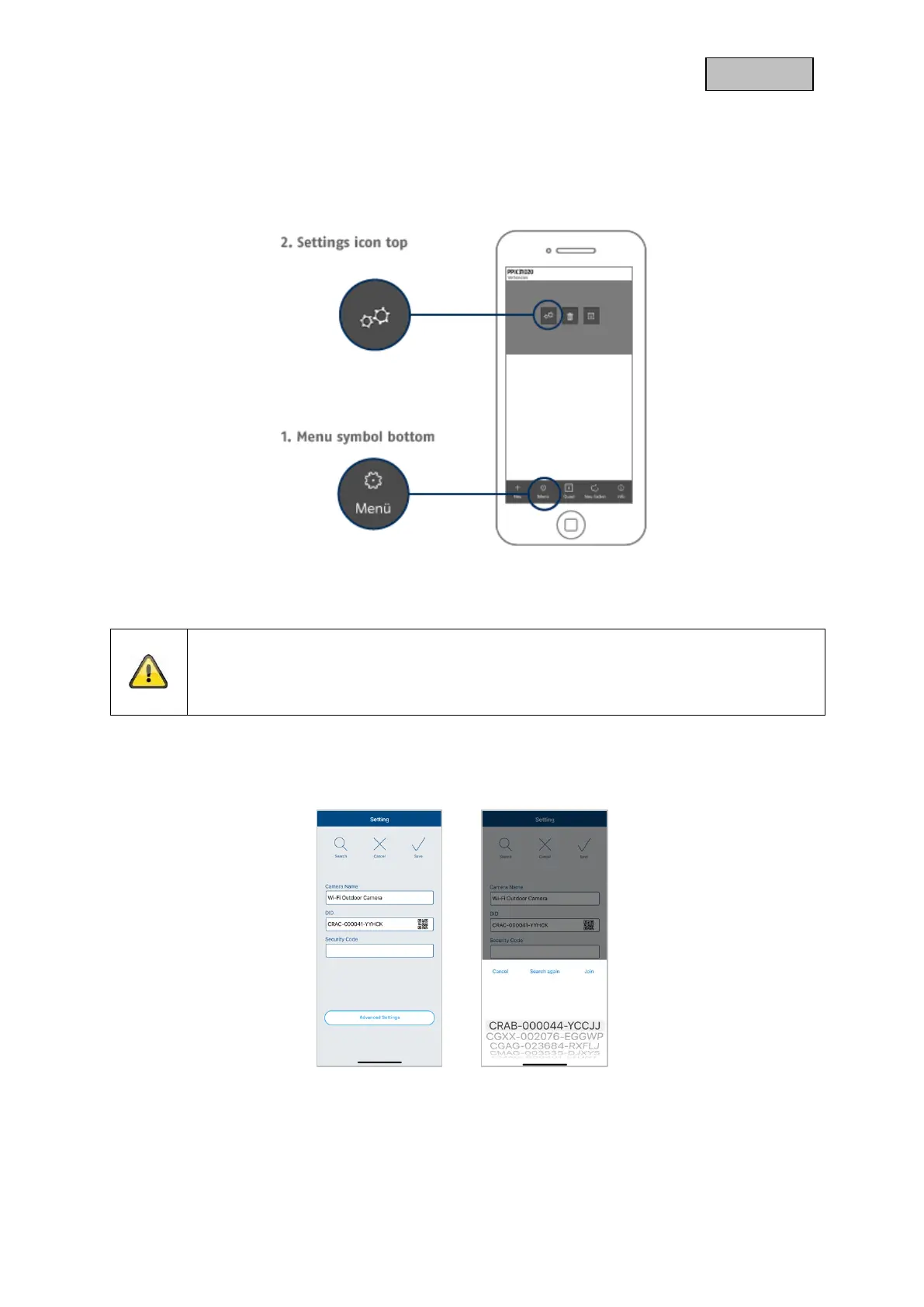
To open the advanced settings, click on the 1) menu icon at the bottom and then on the 2) settings icon
in the camera image.
Use the admin password that you assigned during the initial installation.
Note
The admin password is a purpose password, not a security password, and is intended to
help you allow other people to view the camera live and receive notifications, but to prevent
them from accessing the advanced settings.
4.9.2. Login data
You can manually change the camera login data in the settings:
System Name: Change the name of the camera here.
DID: Display the camera DID , if changed, the camera can no longer
be accessed.
Security code: Enter the camera's security code here.



 To Next Page