Network
48
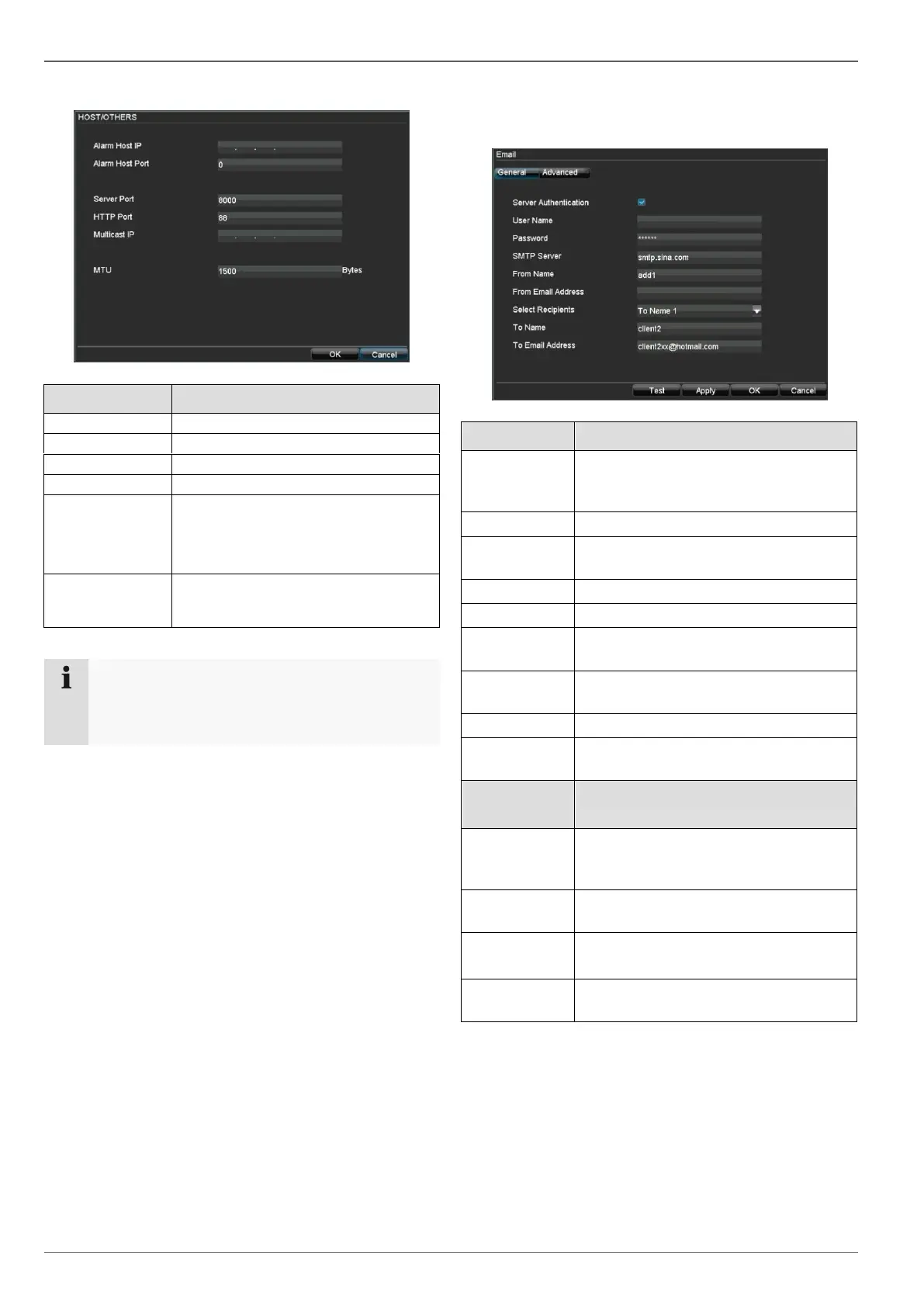
Setting the HOST / OTHERS
Legen Sie i
Port for data communication
In order to minimize traffic you can
enter a Multicast IP. The IP address
has to match the IP address of the
PC running the CMS software.
Describes the max. size of the largest
protocol data .
Note
Server port 8000 and HTTP port 80 are the stan-
dard ports for remote clients and remote Internet
browser access.
Setting up an e-mail address
In the event of an alarm, the device can send a message
by e-mail. Enter the e-mail configuration here:
Legen Sie i
Tick the box when authentication is
made on the server of the Internet pro-
vider
E-mail account at the provider
Password connected to the e-mail ac-
count
SMTP server address of the provider
Corresponding e-mail address for the
e-mail account
Select three possible recipients for the
e-mail
Enter the name of the recipient here
Enter the e-mail address of the
recipient here
Tick the box when camera images
should also be sent with the e-mail as
photo files
Select the interval between the
individual recordings (2 to 5 seconds)
Enter the SMTP port here
(Default: 80)
Tick the box to activate the e-mail
encryption



 To Next Page