The selected alarm output is
switched in the event of a
fault.
Warning
Note down the admin password.
The following password is preset
“1 2 3 4 5”
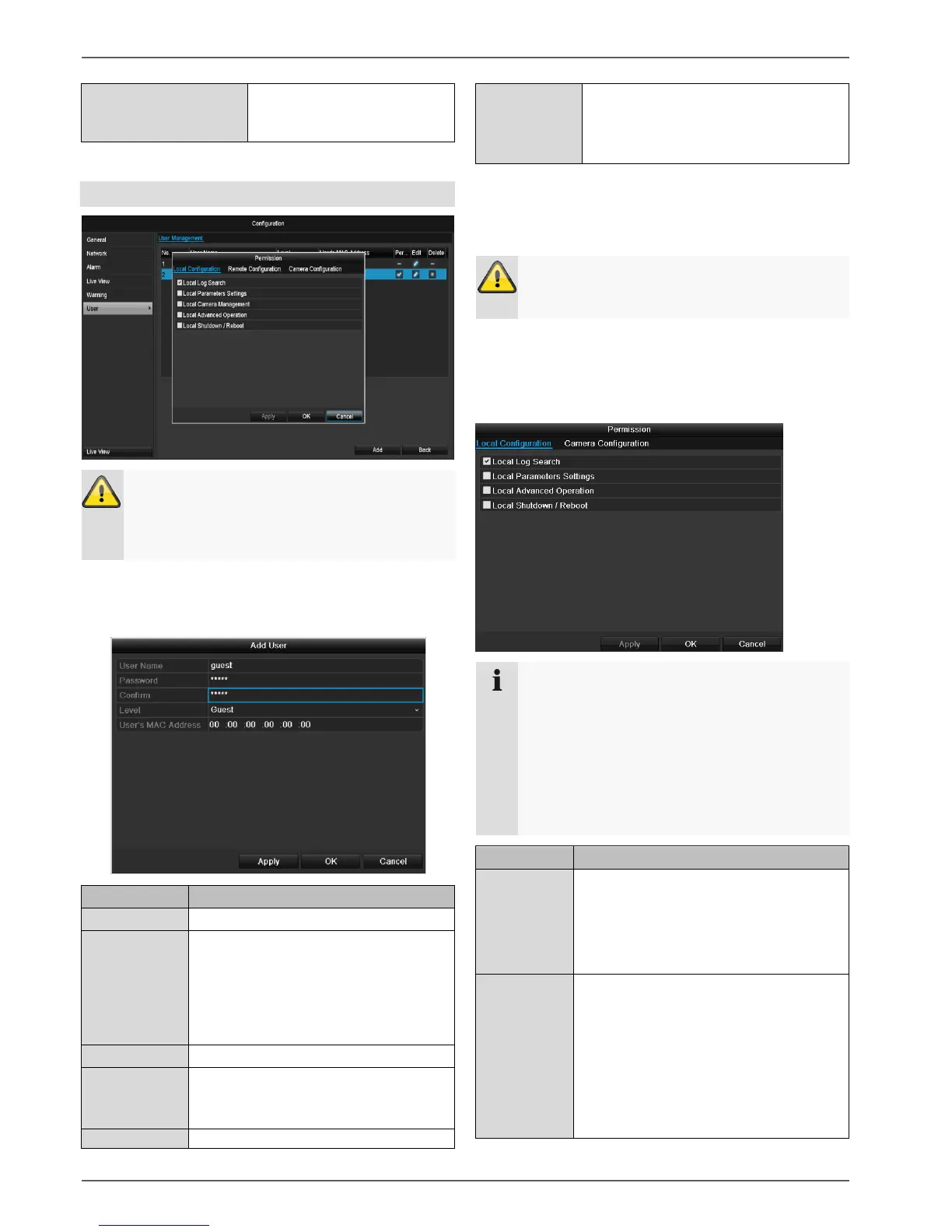
You can add new users, delete existing users and
change the settings in the “User Management” menu.
To add a new user, select Add.
Access code for the device (device
management)
Note: Change all passwords on a regu-
lar basis, using a combination of letters
and numbers. Note down all pass-
words in a safe place.
Enter the access code again here
IMPORTANT:
More access rights can be set on the
Manager level than on the User level.
MAC address of the network adapter
on the PC of the corresponding user
Note:
This limits access to the PC whose
MAC address is entered here!
Enter the name and password and confirm the
password in the field below.
Select the level and enter the MAC address.
4. Confirm the settings by clicking Apply.
Warning
Pay attention to the instructions below on assign-
ing access rights.
Setting permission rights
Control the access rights of the user by clicking the
“Right” symbol. Only the access data of users added
manually can be changed:
Note
The user can make the settings locally (i.e. on the
device) or change the parameters.
The user can access the device via the network
connection.
The “Camera Permission” tab is used to set ac-
cess rights for individual cameras (network or lo-
cal).
Local log search
Local parameter settings
Local camera management
Advanced settings
Network shutdown / reboot
Camera rights:
Remote log search
Remote parameter settings
Remote camera management
Remote video output control
Two-way audio
Remote alarm control
Advanced settings


 To Next Page
 Loading...












