Camera
97
Camera
Camera
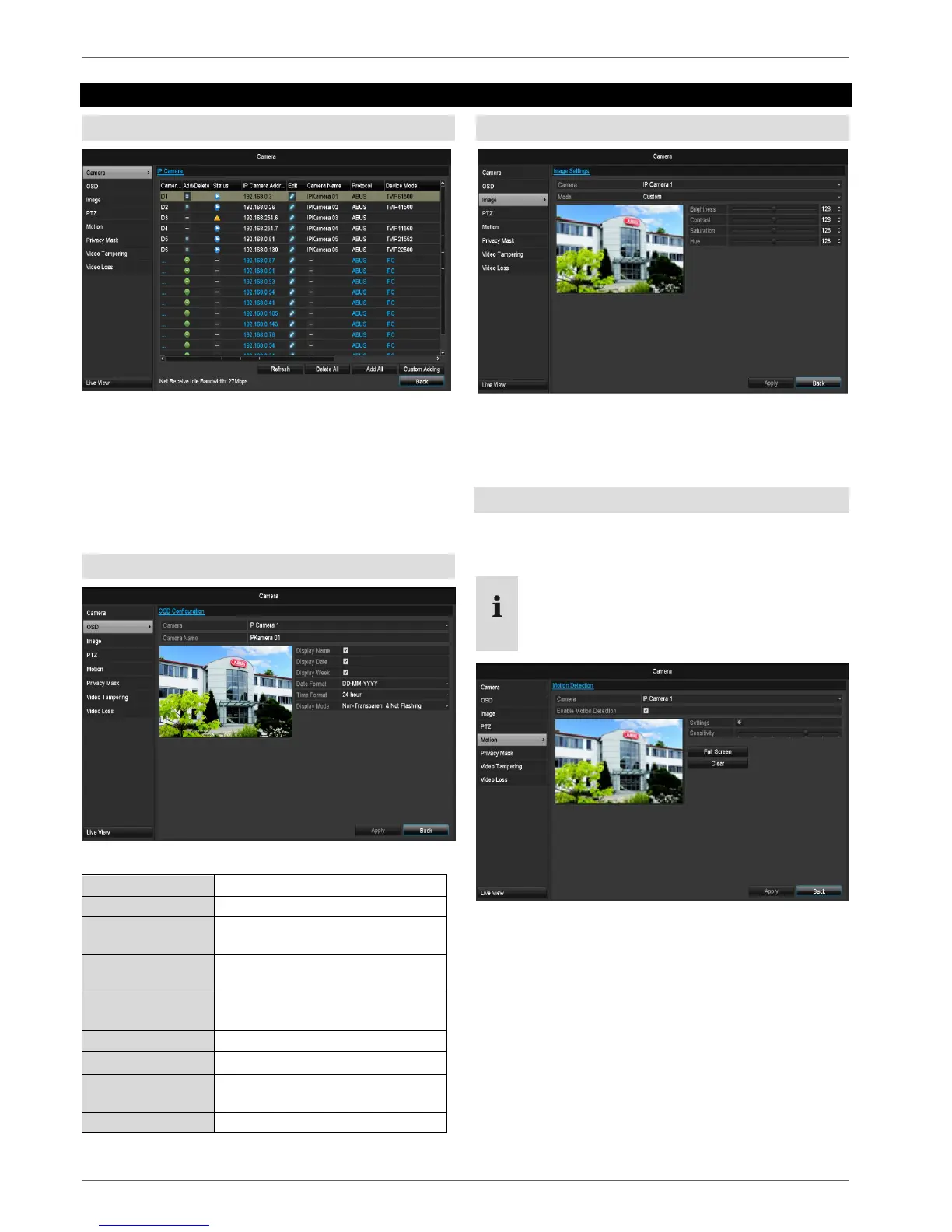
Select the required channel under “Camera”. Click Re-
fresh to see the network cameras in your network.
Click Delete all to delete the cameras already added.
Click Add all to add all the displayed cameras. Note that
a maximum of 6 channels can be added.
Select User defined to add a camera manually.
OSD
Allocation of camera name
Activate/deactivate display of
camera name in the live view
Activate/deactivate display of
date in the live view
Activate/deactivate display of
week in the live view
Selection of date display type
Settings relating to the presenta-
tion of camera name and date
Image
Select the camera channel to be processed at “Camera”.
Adapt the camera image to light conditions at “Mode” by
means of specified settings or with user-defined settings.
Motion
Select the camera channel under “Camera”.
Select the checkbox for the motion detection.
Note
In order to record using the motion recognition, you
must set the time plan at recording (see p.94).



 To Next Page
 Loading...











