18 Access Sensor Technologies UPAS User Guide
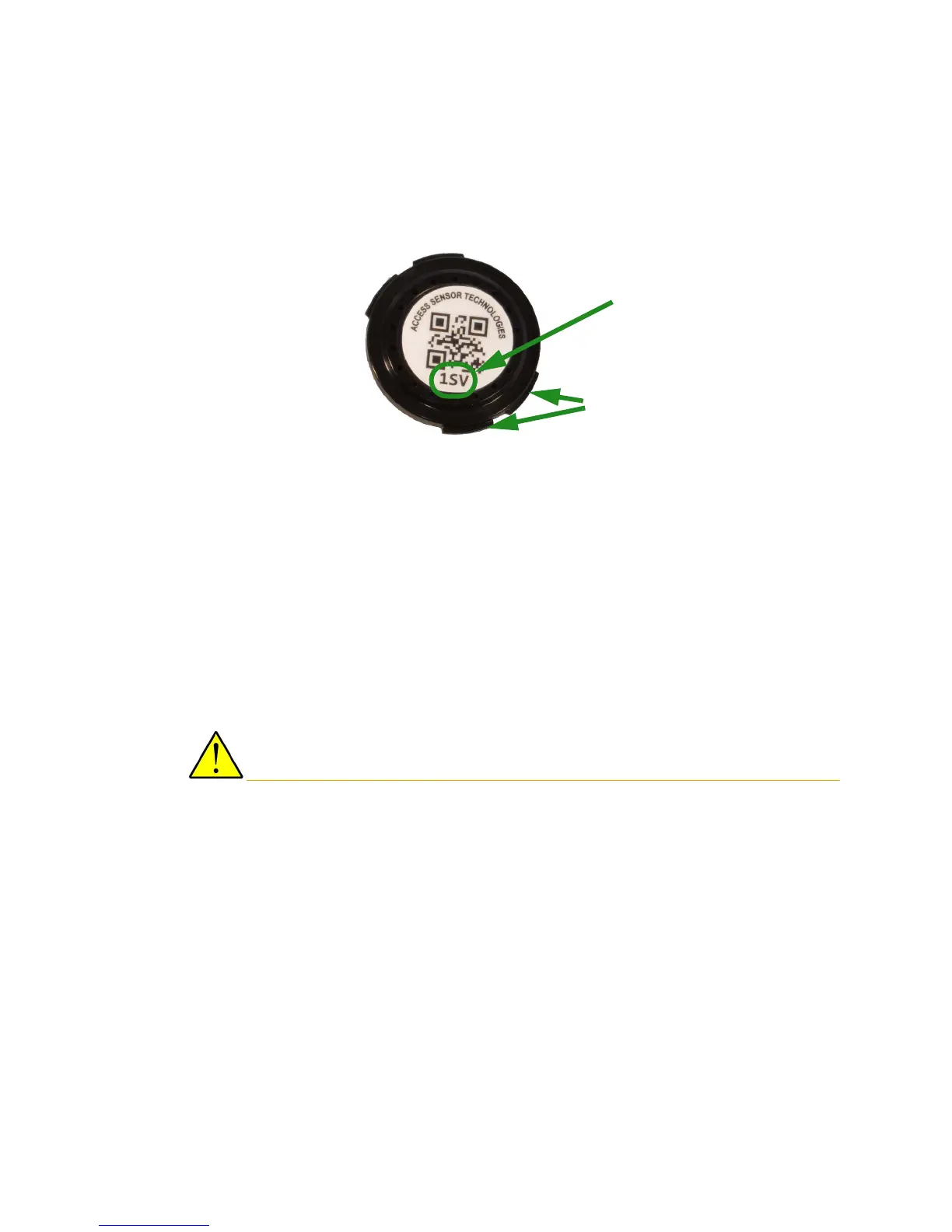
Note the three-character code on top of each filter cartridge. The
three-character code is an identifier used to track the filter cartridge. Enter this
code into the App as the Cartridge ID.
This code is saved as part of the Log file and
k
eeps the filter associated with the data.
Cleaning the Filter Cartridges
If you reuse a filter cartridge, it must be thoroughly cleaned between uses.
1 Separate the two halves of the filter cartridge as explained above.
Remove the filter membrane for analysis. See “Removing / Installing the
Filter Cartridge” on page 11.
2 Use soapy water and a soft-bristled brush to carefully clean all surfaces of
the cartridge.
3 Thoroughly rinse the cartridge under clean running water. If running water
is not available, use bottled water from a spray bottle. Alternately, use
alcohol.
Make sure that both halves of the cartridge are clean and dry before re-loading
the cartridge with a clean filter membrane.
Slight tab
misalignment
recommended
Three-character
code


 To Next Page