Access Sensor Technologies UPAS User Guide 17
Cleaning the 37 mm Filter Cartridge
Remove and transfer any exposed air sample filters per the chain-of-custody
protocol referenced in “Removing / Installing the Sampling Filters and Chain of
Custody” on page 12.
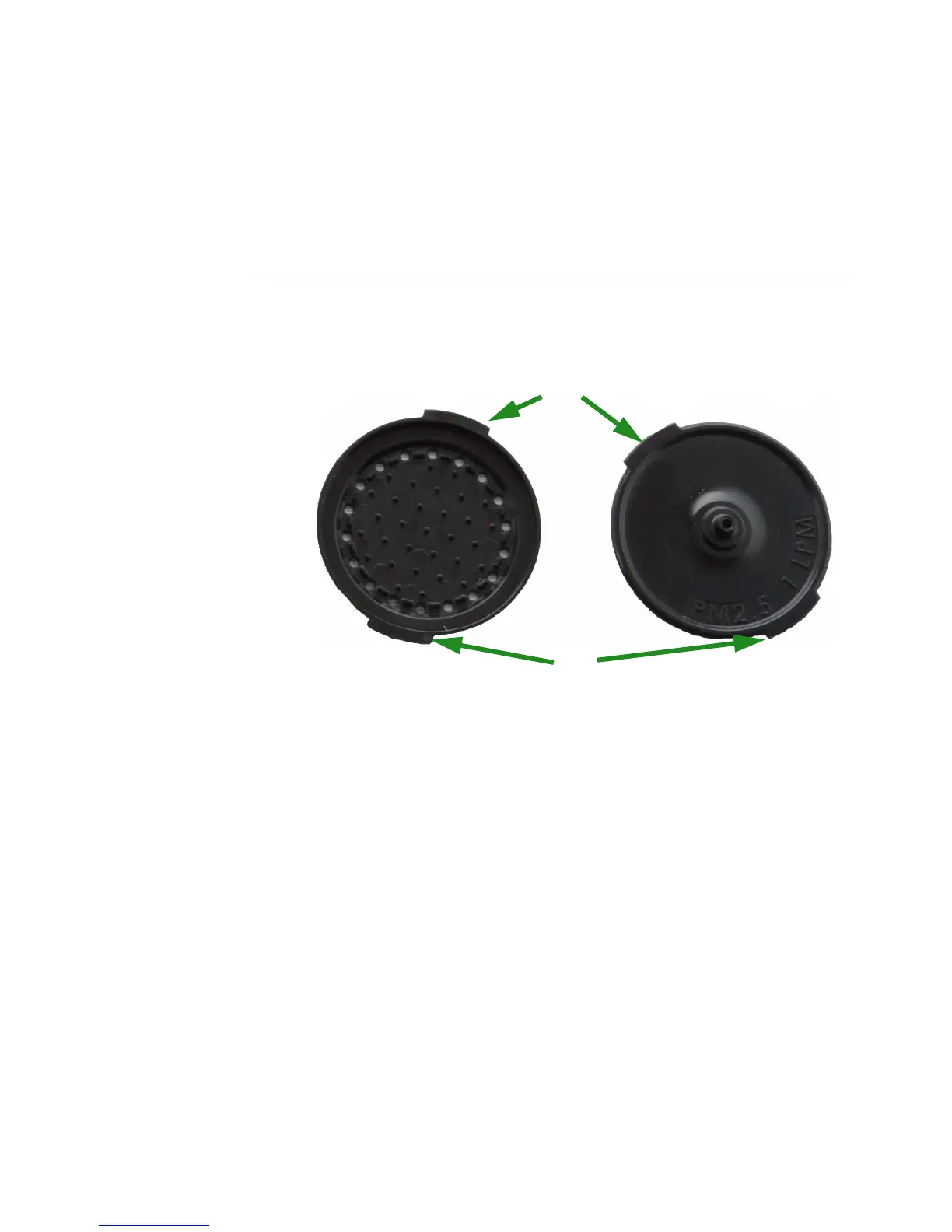
1 Both the top half and the bottom half of the filter cartridge have two small
tabs. Use these tabs to separate the two halves of the filter cartridge.
The top piece has a nozzle; the bottom piece has protrusions to support
the filter.
2 Place a new filter membrane into a clean cartridge. Do not use a backing
pad! For a list of recommended filter membranes, see “Recommended
UPAS Filter Membranes” on page 6.
3 Press the two halves back together with tabs slightly misaligned. If they
don’t easily snap together, check for the presence of the black O-ring on
the top (nozzle) piece.
Filter Cartridge bottom
Filter Cartridge top


 To Next Page