60 Access Sensor Technologies UPAS User Guide
6 Frequently-Asked Questions
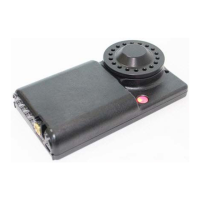
Can I use the UPAS with an External Battery Pack?
An external battery pack may be connected to the UPAS to extend battery life.
See External Battery under “5 Diagnostics and Troubleshooting” on page 54.
Also, refer to the UPAS web page for detailed information:
https://accsensors.com/technologies/#UPAS
How do I Calculate Run time / Battery Life?
See “5 Diagnostics and Troubleshooting” on page 54 and the helpful UPAS
battery management calculator available at:
https://accsensors.com/technologies/#UPAS.
Can the UPAS be used outdoors?
The UPAS is intended for indoor use only. Shield the UPAS from water, water
spray, precipitation, etc. at all times.
How do I adjust the UPAS flow rate?
Refer to “Flow Rate Verification and Adjustment” on page 24 for detailed
information.
How often should I check the Flow Rate and Perform Maintenance
Under normal conditions, verifying the UPAS flow rate is not required. However, if
you choose to verify the flow rate, refer to “Flow Rate Verification and
Adjustment” on page 24.
If the verified flow rate is outside of the ±4% range, contact Access Sensor
Technologies Technical Support: https://accsensors.com.
Analyzing data for PM
2.5
particulates collected during the Sample?
After each sampling session, collect all filter cartridges and relevant sampling
information and send them to the program’s laboratory for analysis.


 To Next Page