30 Access Sensor Technologies UPAS User Guide
3 Sample Run Setup / Initialization
on the Mobile Device App
Installing and Updating the Mobile Device Application
A free-ware mobile device application (the “App”) is required to set up and
program the UPAS for sampling. The mobile device (cell phone, tablet, etc.) is
needed only for programming the UPAS; it is not needed during the sample run
and becomes disconnected from the UPAS. The App is available in two operating
system versions: iOS (Apple) and Android..
Internet access is required for the device to download the App.
Install and Run the App on an Android Operating System
Users with mobile devices running the Android operating system (OS) can
download the current UPAS App from the Google Play Store via the following
steps. The current revision of the App (version 2.1.5) is backwards compatible
with all firmware revisions of the UPAS.
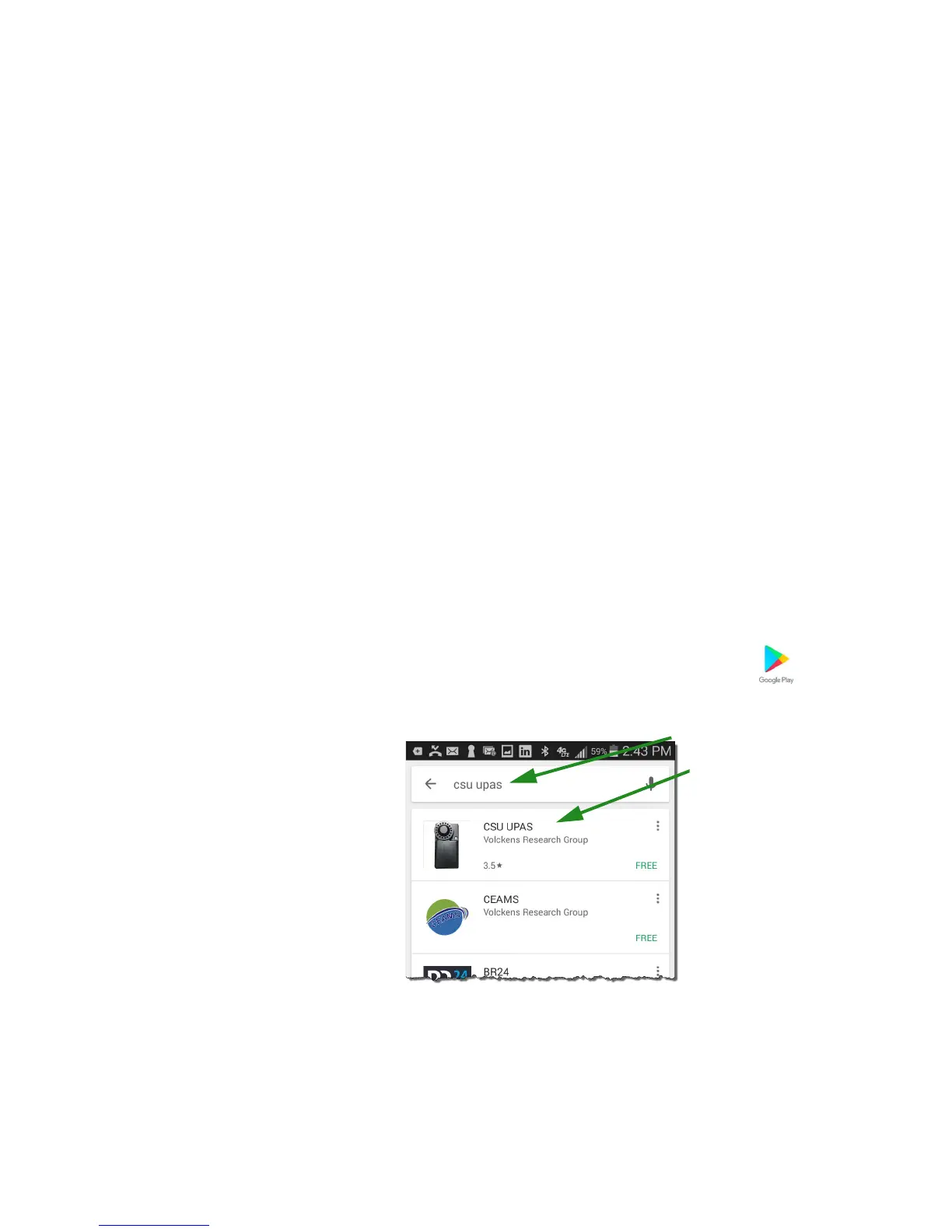
1 Find the Google Play Store icon on your mobile device desktop .
2 Search for CSU UPAS to find the application. This is a free App.


 To Next Page