5-6 The Keypad User Manual
DAP Instructions
Note: DAP (Direct Access Programming) should
only be used if the Keypad programming has
become unstable (that is, if during programming
steps you continually receive 5 beeps between
steps). DAP programming will reset the KP-103
keypad to Accutech factory settings.
1. Remove power and keypad
faceplate from back box.
2. Move DAP jumper from OFF
position to ON position.
3. Apply power to keypad.
4. Move DAP jumper back to OFF
position.
5. Enter [8][9][0][1][#] to Initialize
(2 beeps)
6. Enter [0] (to select User Code 0)
7. Enter [1][1][1][1][#] to designate
the new Installer Code (2 beeps)
8. Enter [4][0] then [1][5] (to set to 15
seconds), then [#] (2 beeps)
9. Enter [5][0] then [1][5] (to set to 15
seconds), then [#] (2 beeps)
10. Enter [1], then [0][1] (to select User
Code 01), then [1][2][3][4][#]
(2 beeps)
11. Enter [2], then [1], then
[7][1][3][9][#] (2 beeps)
12. Enter [*] to exit (2 beeps)
How to change the installer code
Note: The original installer code is 0000. If the
installer code is unknown (or differs from the
Accutech preprogrammed 1111) and you need to
revert back to this code, go to the DAP
instructions section.
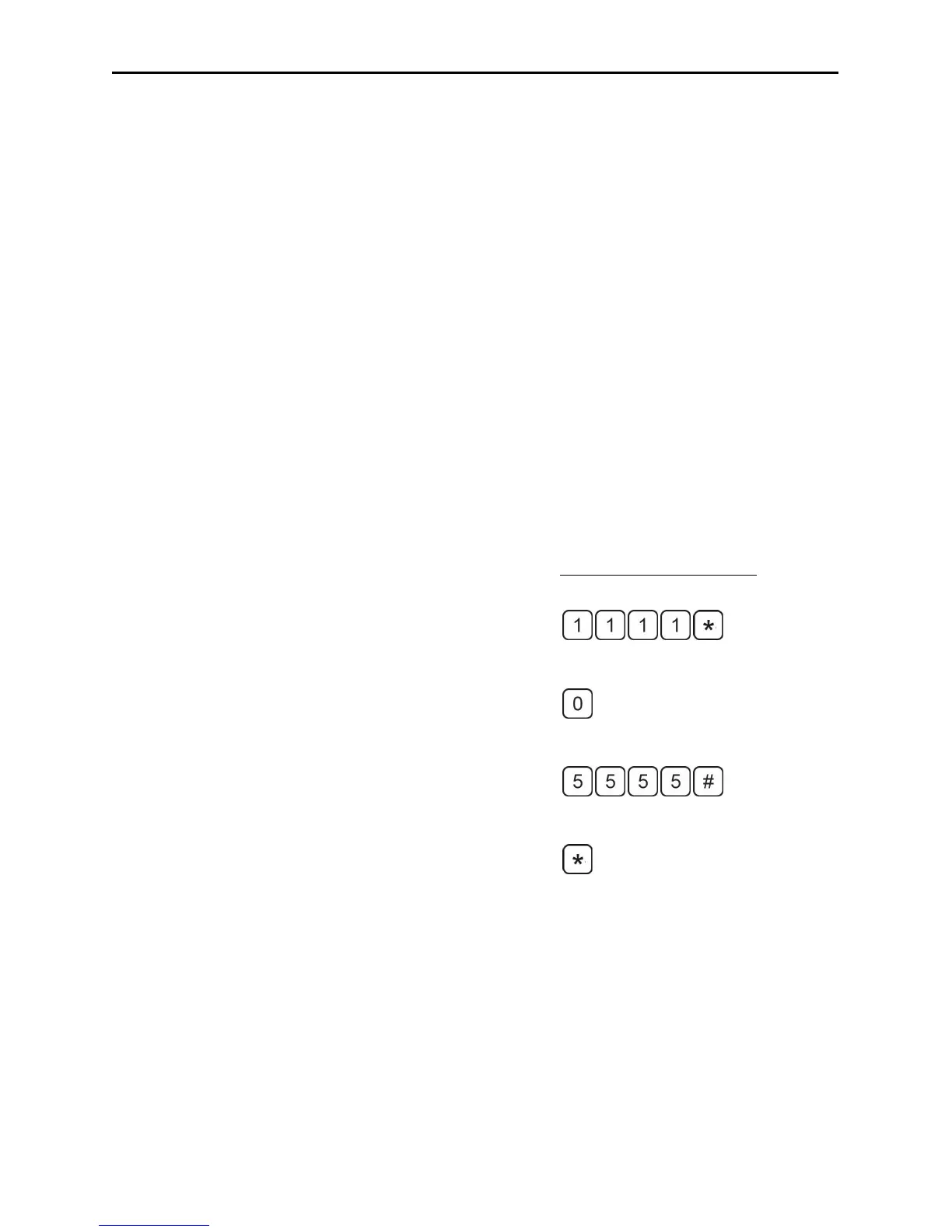
1. Enter the installer code [1][1][1][1][*] to
enter program mode. You will hear two
beeps.
2. Enter [0] then the new desired installer
code number (4-8 digits) then the [#]
key. You will hear two beeps.
3. When finished, enter [*] to exit program
mode and return the Keypad normal
operation mode.
Changing the Installer Code:
(enter programming mode)
(selects user code 0)
(sets 5555 to be the new code)
(exits programming mode)



 To Next Page