01010101100110101010110011010101011001101010101100110101010110011010101011001101010101100110
1001101010101100110101010110011010101011001101010101100110101010110011010101011001101010101100110101010110110101010
11
10101010110011010101011011010101001101010100110101101101101010100101
1011010101100110011010101011010101111010111
11010101101101010100111110
1101110110110011
0111011110
111101
011
11
1
PC-3000 EXPRESS / UDMA / PORTABLE Seagate
ACE Lab F3 architecture
Technical support: ts@acelab.ru
Phone: +7 863 201 50 06
ts.acelaboratory.com 11
27 401178B0 240
Collecting DT Infos completed
Reading autotuning buffer............... Ok
Searching module table in RAM... ....... Ok
Searching volume 3 file table in RAM.... Ok
Searching volume 0 file table in RAM.... Ok
Searching SMP RAM FID in RAM............ Ok
Searching Non Resident G-List FID in RAM Ok
Searching CFW OVL FID in RAM............ Ok
Searching DT table(RAM, WR) in RAM...... Ok
Searching DT table(RAM, RD) in RAM...... Ok
System Files I/O method detection... ATA(direct)
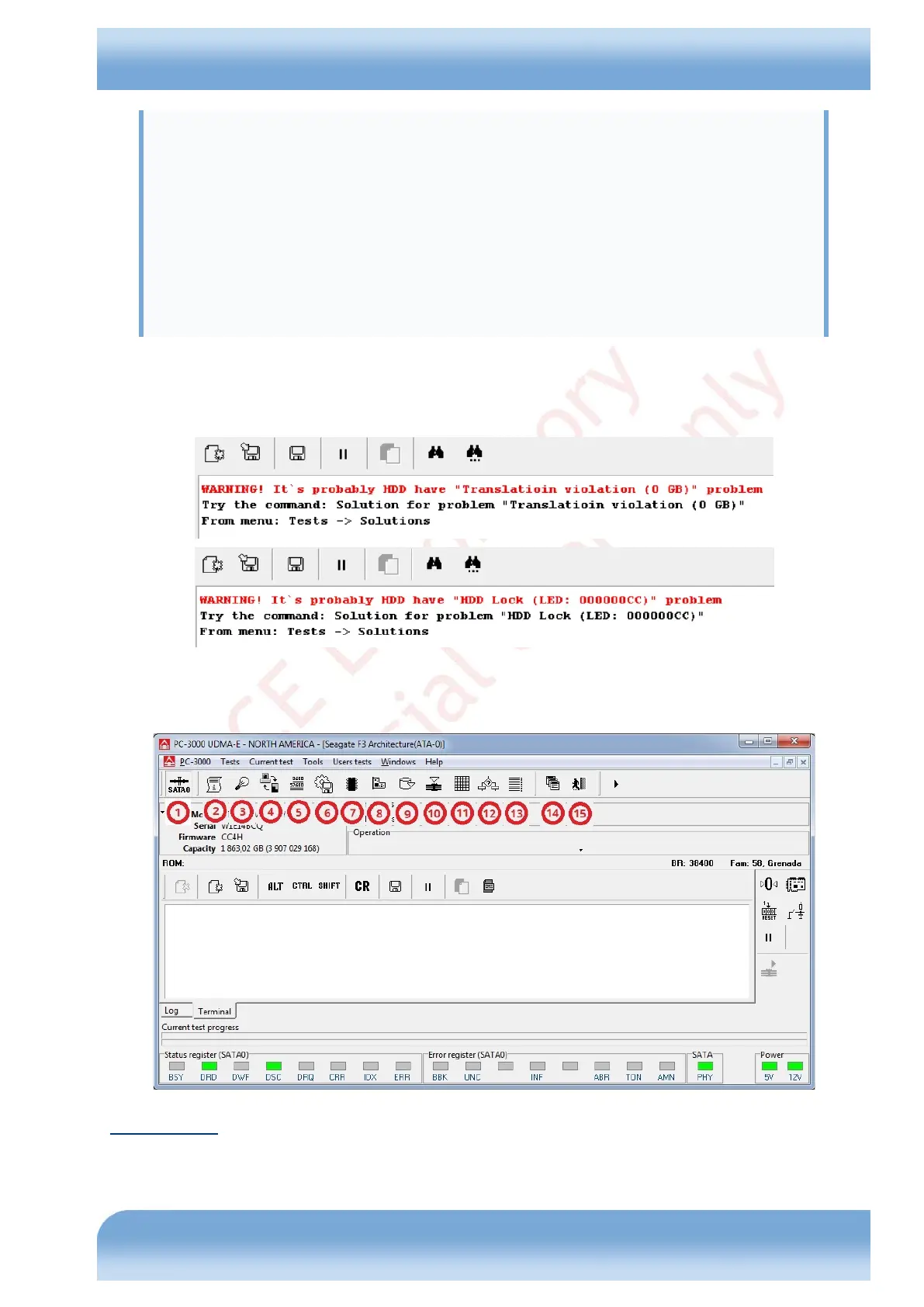
If errors are encountered during initialization, respective messages will be logged, and the utility will automatically
provide troubleshooting advice (see Fig.4.2 for an example).
Fig. 4.2
After completion of the device start and initialization procedure the main window of the utility (including terminal) will
become accessible (Fig. 4.3).
Fig. 4.3
Toolbar buttons:
loader (Update Microcode) creation and uploading;


 To Next Page