01010101100110101010110011010101011001101010101100110101010110011010101011001101010101100110
1001101010101100110101010110011010101011001101010101100110101010110011010101011001101010101100110101010110110101010
11
10101010110011010101011011010101001101010100110101101101101010100101
1011010101100110011010101011010101111010111
11010101101101010100111110
1101110110110011
0111011110
111101
011
11
1
PC-3000 EXPRESS / UDMA / PORTABLE Seagate
ACE Lab F3 architecture
Technical support: ts@acelab.ru
Phone: +7 863 201 50 06
ts.acelaboratory.com 51
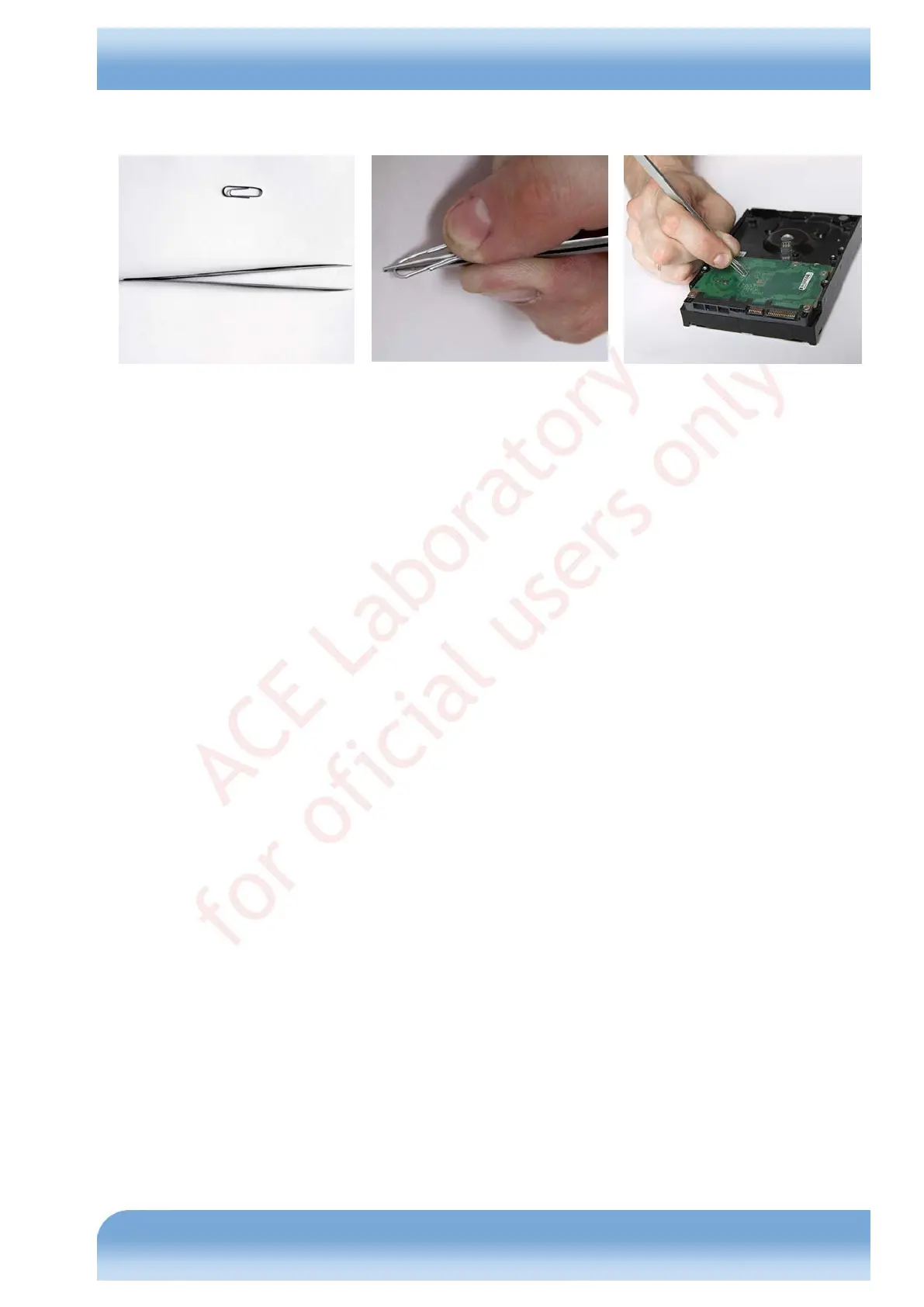
short connection ark size must be minimal. The simplest solution in such situations would be small tweezers with sharp
edges holding a metal paper clip (see Fig. 8.2).
Fig. 8.2
If your selected tool complies with the described requirements, short-circuit connection makes the HDD produce
knocking sounds and after a while reach the ready state with its motor stopped. You are advised to pick the appropriate
tool in advance by bridging the read channel of a functional drive and switching on the HDD power supply.
The procedure for HDD unlocking using a short connection of the read channel is as follows:
♦ Switch off the HDD power supply.
♦ Switch on the HDD power supply and check that the signal indicating activation of the terminal command
mode is output to the terminal.
♦ As soon as the F3 T> prompt appears in terminal, perform the short connection of the read channel
according to the description above.
♦ After a while the HDD will reach readiness with its motor stopped (before the drive stops its spindle and
reaches readiness, it must produce knocking sounds).
♦ Then follow the basic unlocking algorithm.
To start the mode in the utility:
♦ Select the 'Solution for problem "HDD Lock (LED: 000000CC)"' menu item.
♦ Confirm that the mode should be started.
♦ Specify the backup folder for service data storage.
♦ Select 'Short-circuiting the reading channel' as the unlocking method.
♦ Follow the guidelines displayed in the main window in that mode.


 To Next Page