3
English
English
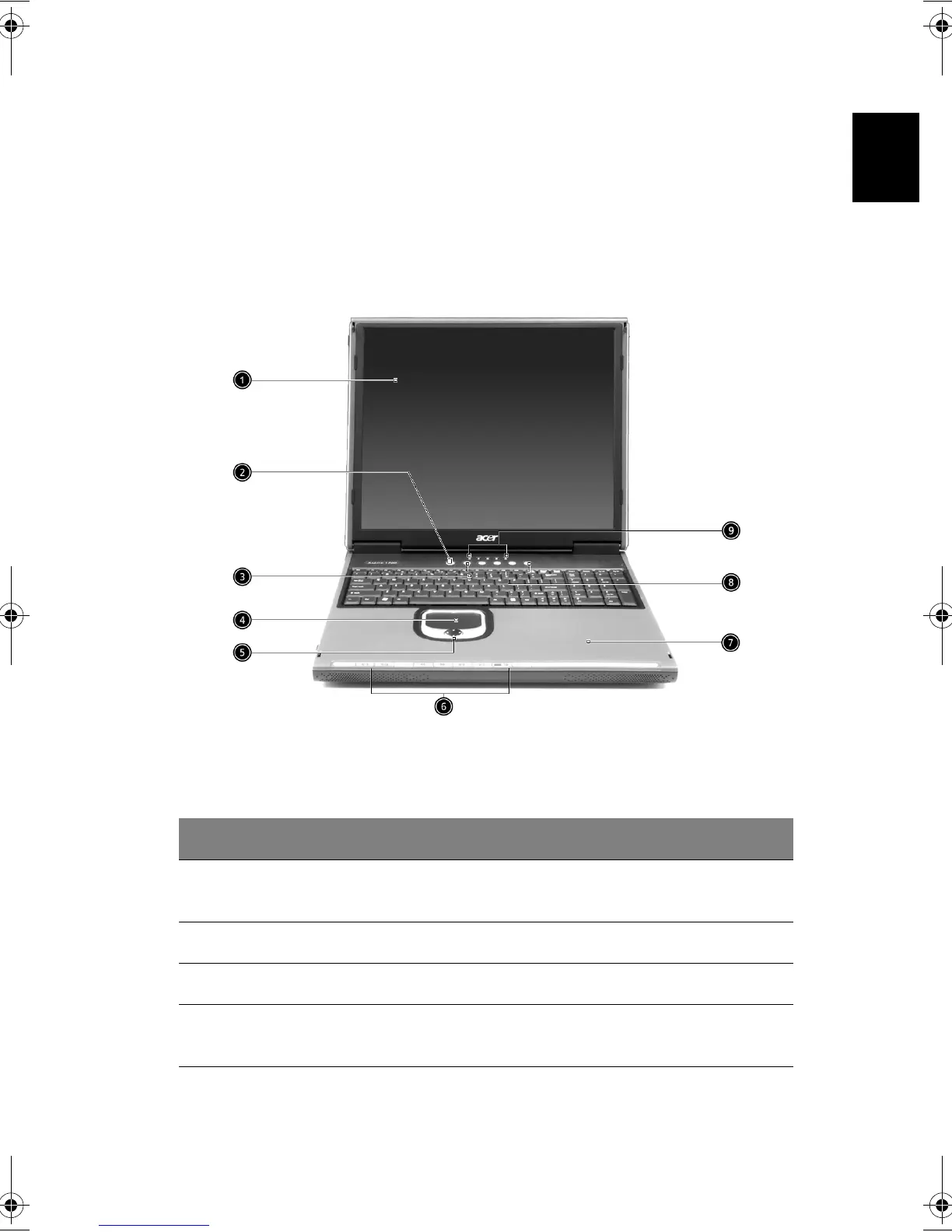
A tour of your computer
After setting up your new Aspire computer, as illustrated in the Just for
starters… poster, take a few minutes to explore the unit.
Opened front view
# Item Description
1 Display Large liquid crystal display (LCD) provides visual
output.
2 Power button Turns the computer on and off.
3 Keyboard Full-size keyboard for inputting typed data.
4 Touchpad Touch sensitive pad that functions like a computer
mouse.
Bt2811`F/cppl!!Qbhf!4!!Uvftebz-!Nbsdi!22-!3114!!22;5:!BN






 To Next Page