Getting familiar with your computer22
English
Launch keys
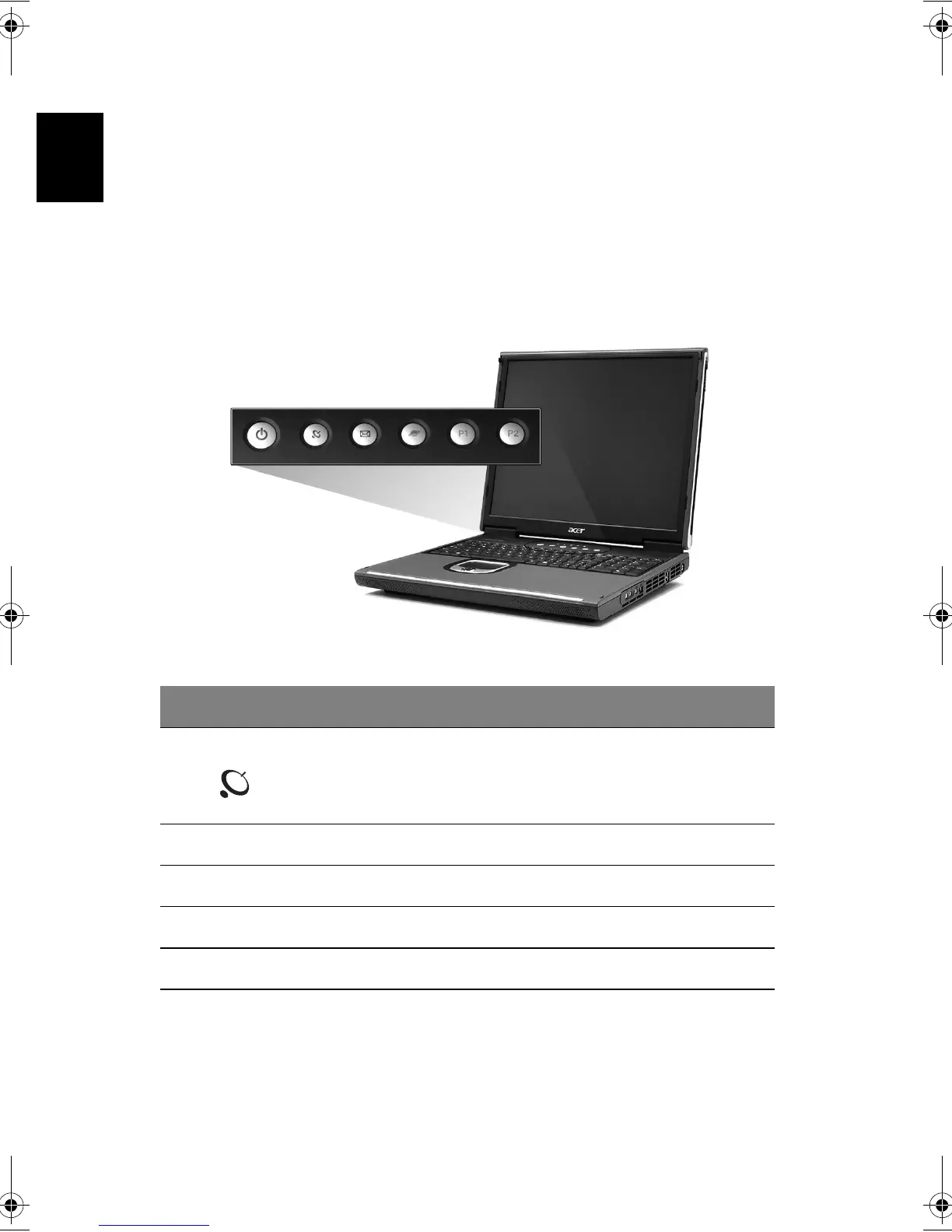
Located at the top of the keyboard are five buttons. These buttons are called
launch keys. They are designated as key 1,key 2,key 3,key 4 and key 5. By
default, key 1 is used to launch wireless LAN, key 2 is used to launch the email
application and key 3 is used to launch the Internet browser. Keys 3 and 4
start the Launch Manager application. All five launch keys can be set by the
user. To set the launch keys, run the Acer Launch Manager.
Launch key Default application
InviLink button Enalbe or disable wireless connectivity.
Email Launches your email application.
Web browser Launches your Internet browser.
P1 User-programmable
P2 User-programmable
Bt2811`F/cppl!!Qbhf!33!!Uvftebz-!Nbsdi!22-!3114!!22;5:!BN






 To Next Page