Peripherals and options52
English
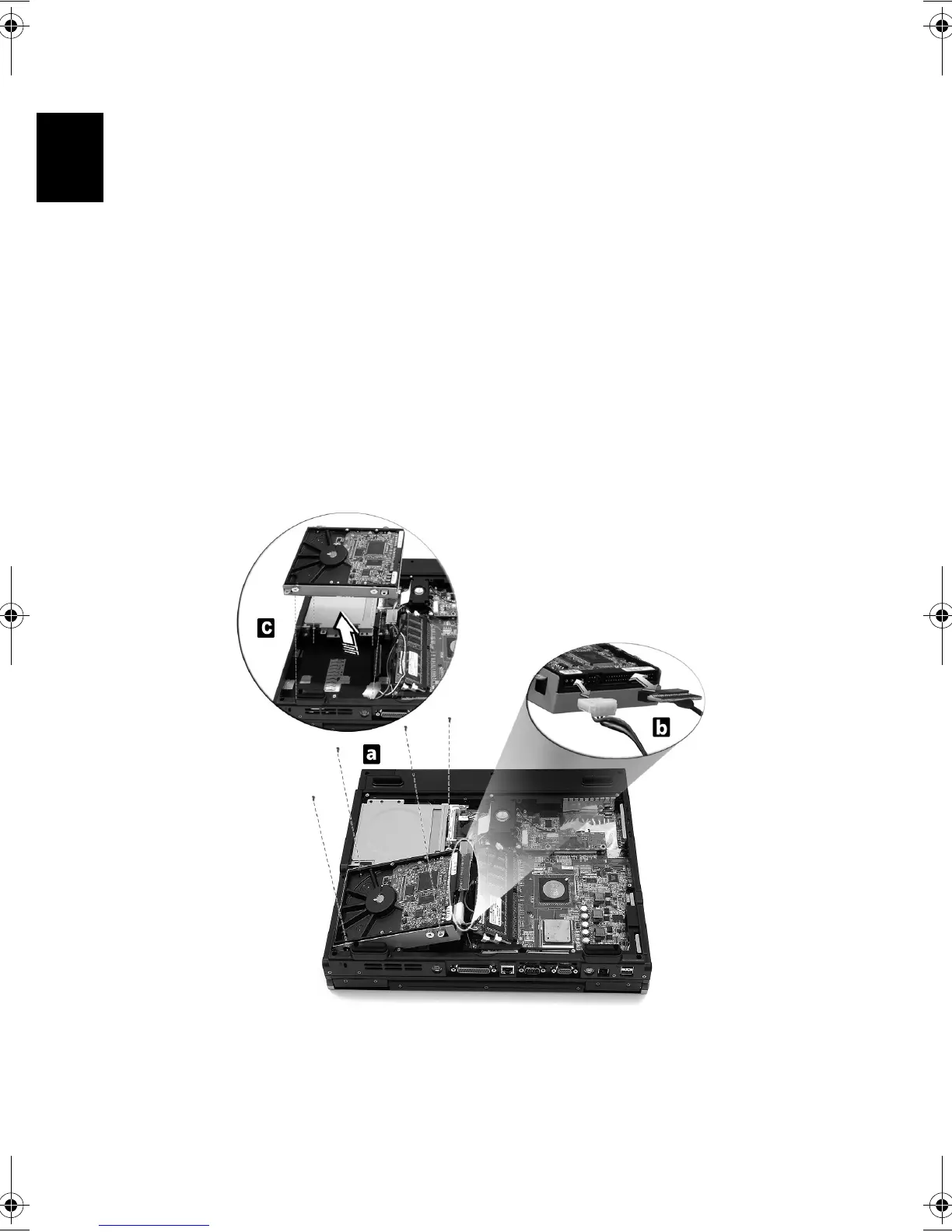
Hard disk upgrade
It is possible to replace your hard disk with a higher capacity drive
when you need more storage space. Your computer uses a 3.5 inch
Enhanced-IDE hard disk. Consult your dealer if you need to perform a
hard disk upgrade.
* Refer to “Opening The Case” on page 49.
a) Remove the four screws that hold the hard disk.
b) Lift up the hard disk; and detact the power and hard disk cables
from the hard disk.
c) Detacth the hard disk from the mainboard.
Bt2811`F/cppl!!Qbhf!63!!Uvftebz-!Nbsdi!22-!3114!!22;5:!BN






 To Next Page