Getting familiar with your computer8
English
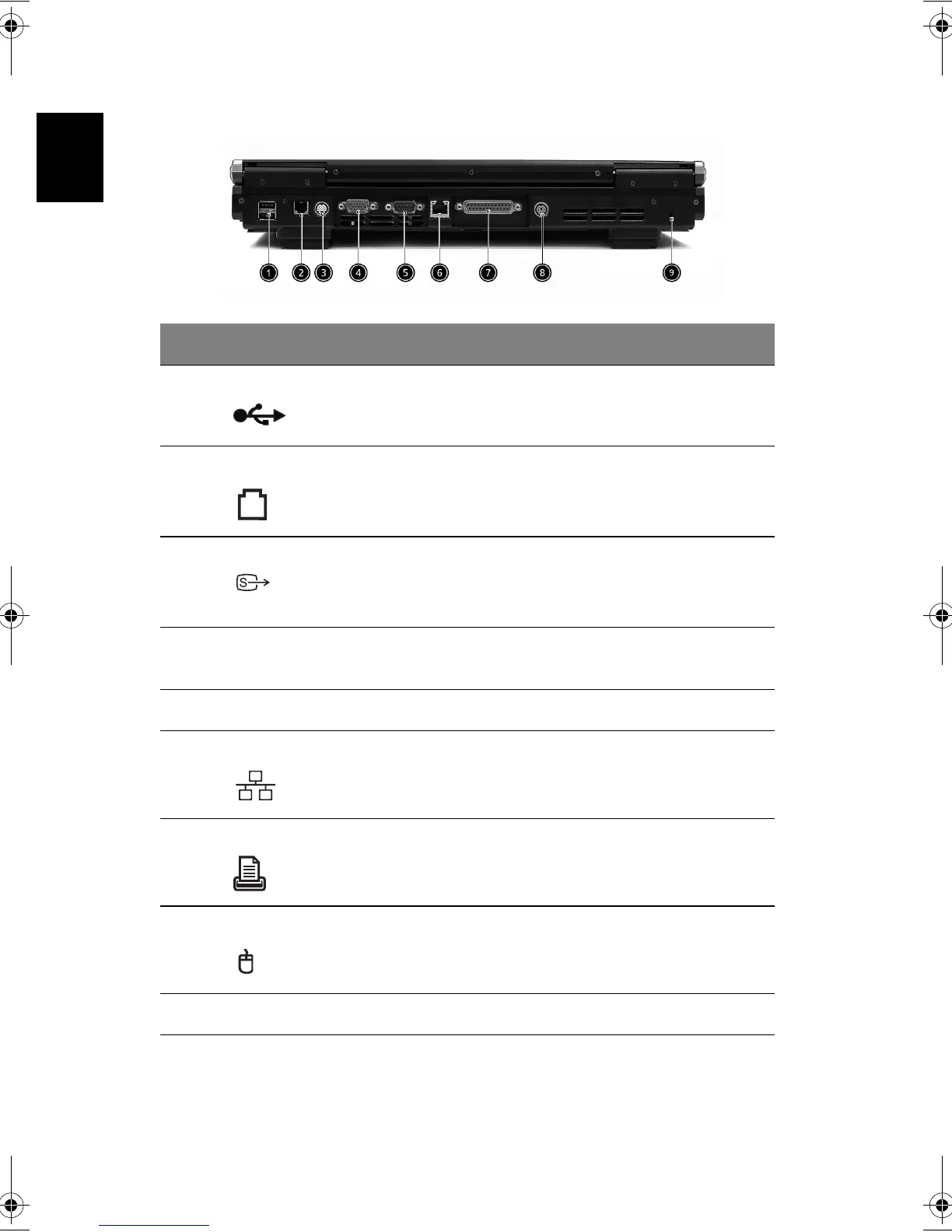
Rear view
# Item Description
1 USB ports 2 ports for connecting USB 2.0 devices.
2Modem jack Connects the built-in fax/data modem to a phone
line.
3S-video
Connects to a television or dispaly device with S-
video input.
4 External display port Connects an external (VGA) display devices
monitor.
5 COM port Connects to other serial interface devices.
6 Network jack Connects to an Ethernet 10/100-based network.
7 Parallel port Connects a parallel device, such as a printer.
8 PS2 port Connects to a PS2 mouse
9 Kensington lock slot For attaching a security connector.
Bt2811`F/cppl!!Qbhf!9!!Uvftebz-!Nbsdi!22-!3114!!22;5:!BN






 To Next Page