Getting familiar with your computer24
English
• Place a CD or DVD on the open tray. Align the disc's center hole with the
tray's spindle.
• Gently push down on the disc until it clicks in place on the spindle.
• Gently push in the tray until it clicks closed.
Emergency ejection of the optical drive tray
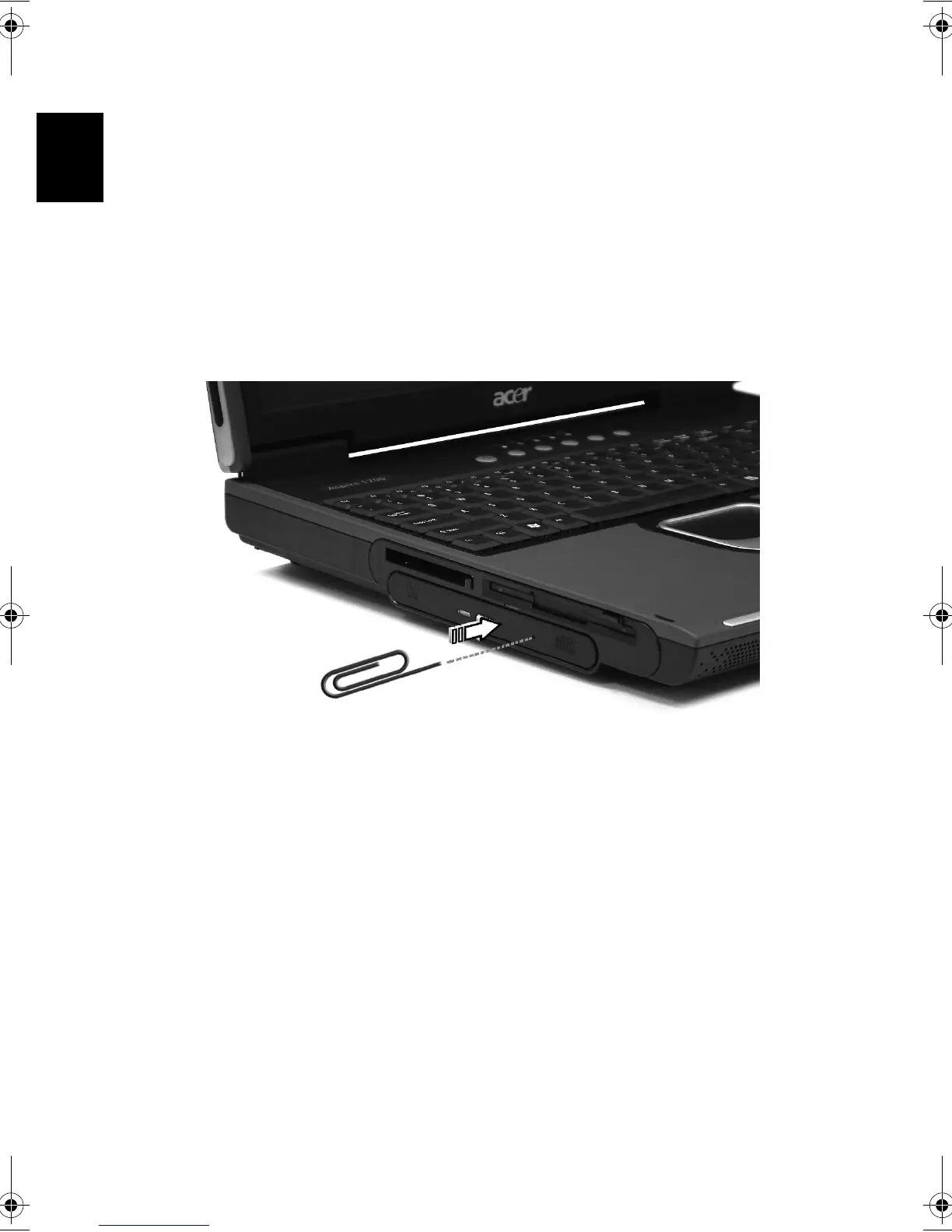
If you need to eject the optical drive tray when the computer is turned off,
push a straightened paper clip into the optical drive emergency eject hole.
The tray will be released, and partially pop open.
Bt2811`F/cppl!!Qbhf!35!!Uvftebz-!Nbsdi!22-!3114!!22;5:!BN






 To Next Page