Peripherals and options50
English
CPU upgrade
Caution! A microprocessor and heat sink may be hot if the
system has been running. Also, there may be sharp pins and edges
on some board and chassis parts. Contact should be made with
care. Consider wearing protective gloves.
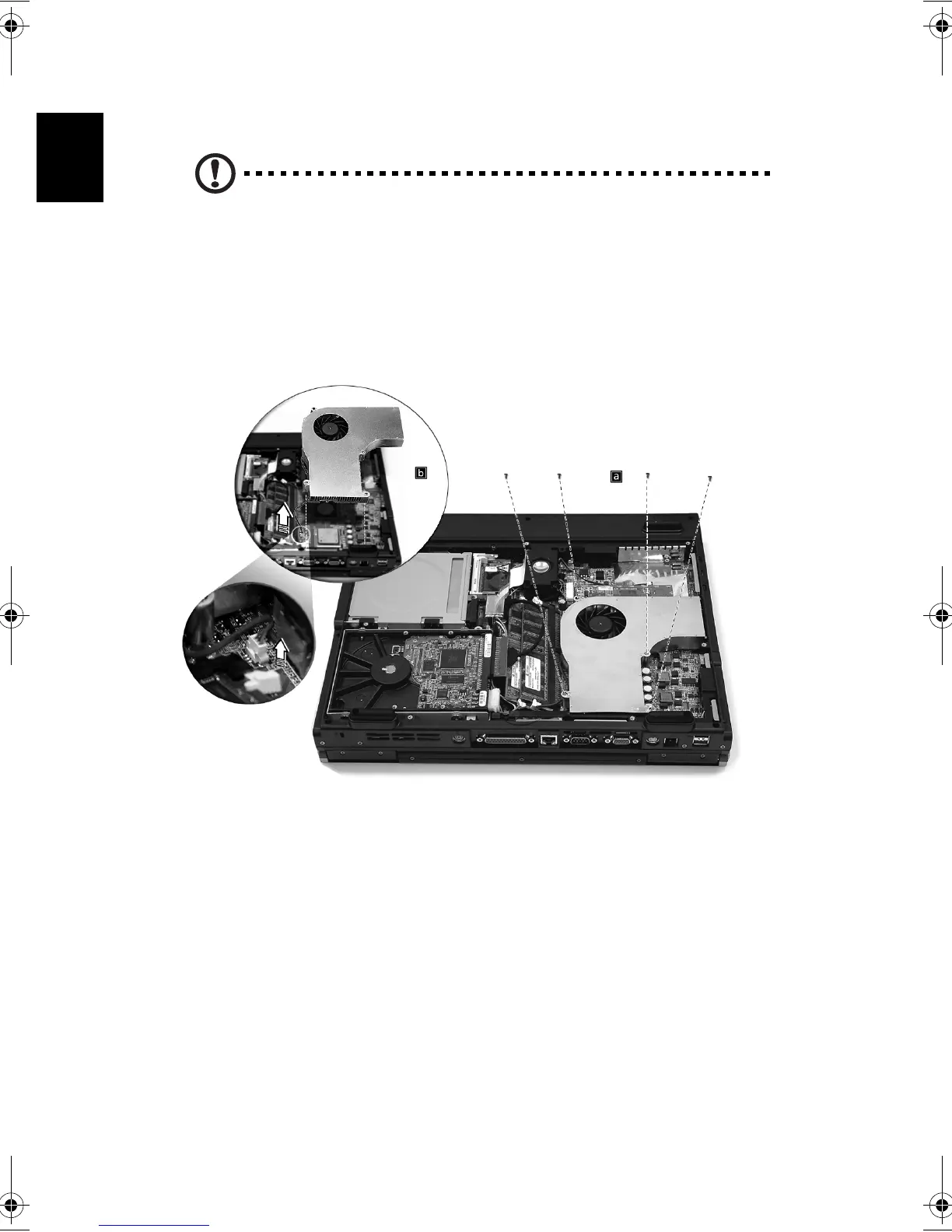
After removing the bottom panel:
a) Loosen the four screws in the air baffle/heat sink assembly.
b) Unplug the air baffle power connector from the system mainboard
and remove the air baffle/heat sink assembly to expose the CPU
socket.
Bt2811`F/cppl!!Qbhf!61!!Uvftebz-!Nbsdi!22-!3114!!22;5:!BN






 To Next Page