Operating on battery power38
English
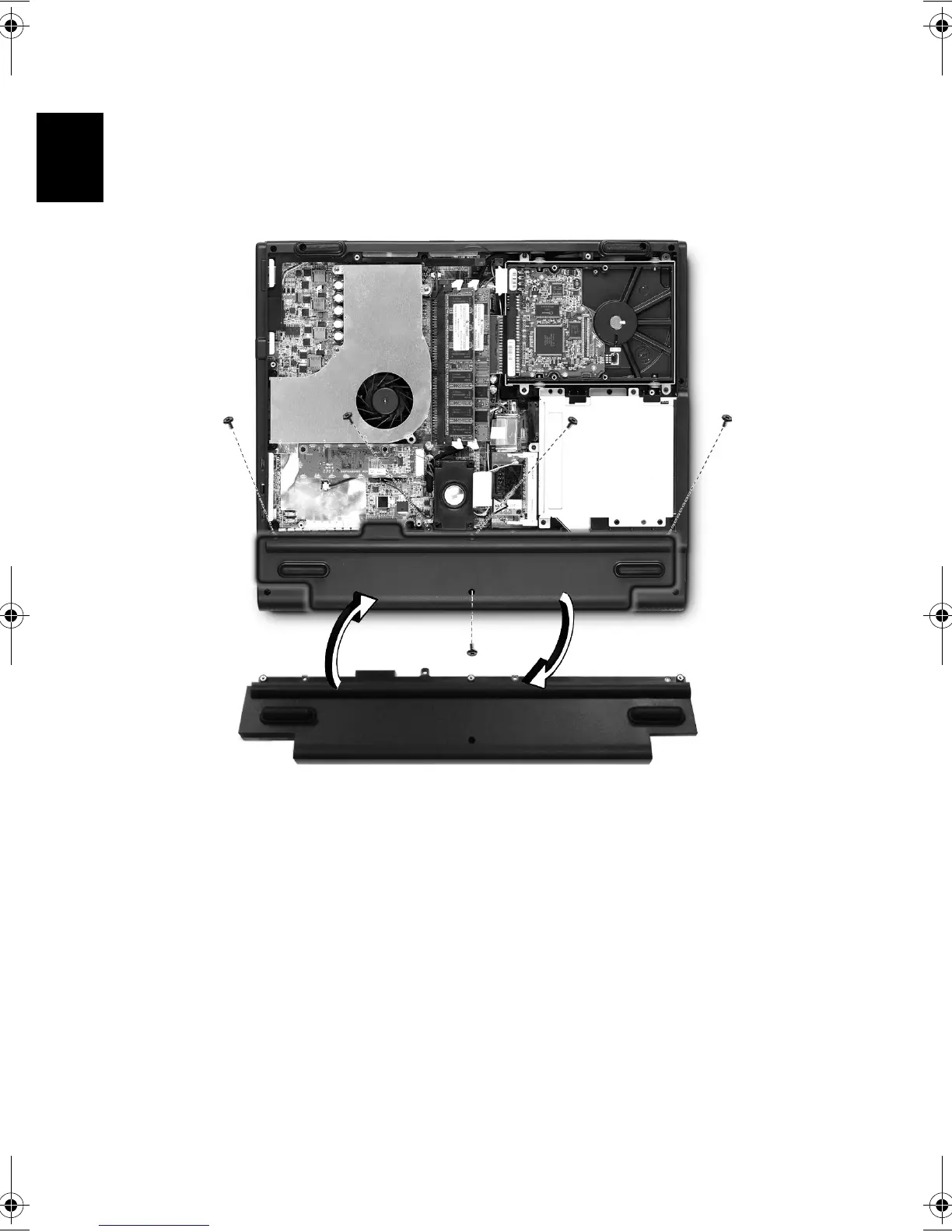
To install a battery pack:
* Please refer to “Opening The Case” on page 49 berfore you proceed
to next step.
1 Loosen the screws on the battery cover and remow it from the
battery bay.
2 Align the battery to the battery bay and tighten the screws.
To remove a battery pack:
1 Refer to “Opening The Case” on page 49.
2 Loosen the battery screws.
3 Pull the battery from the battery bay.
Bt2811`F/cppl!!Qbhf!49!!Uvftebz-!Nbsdi!22-!3114!!22;5:!BN







 To Next Page