3 Setting up your computer
28
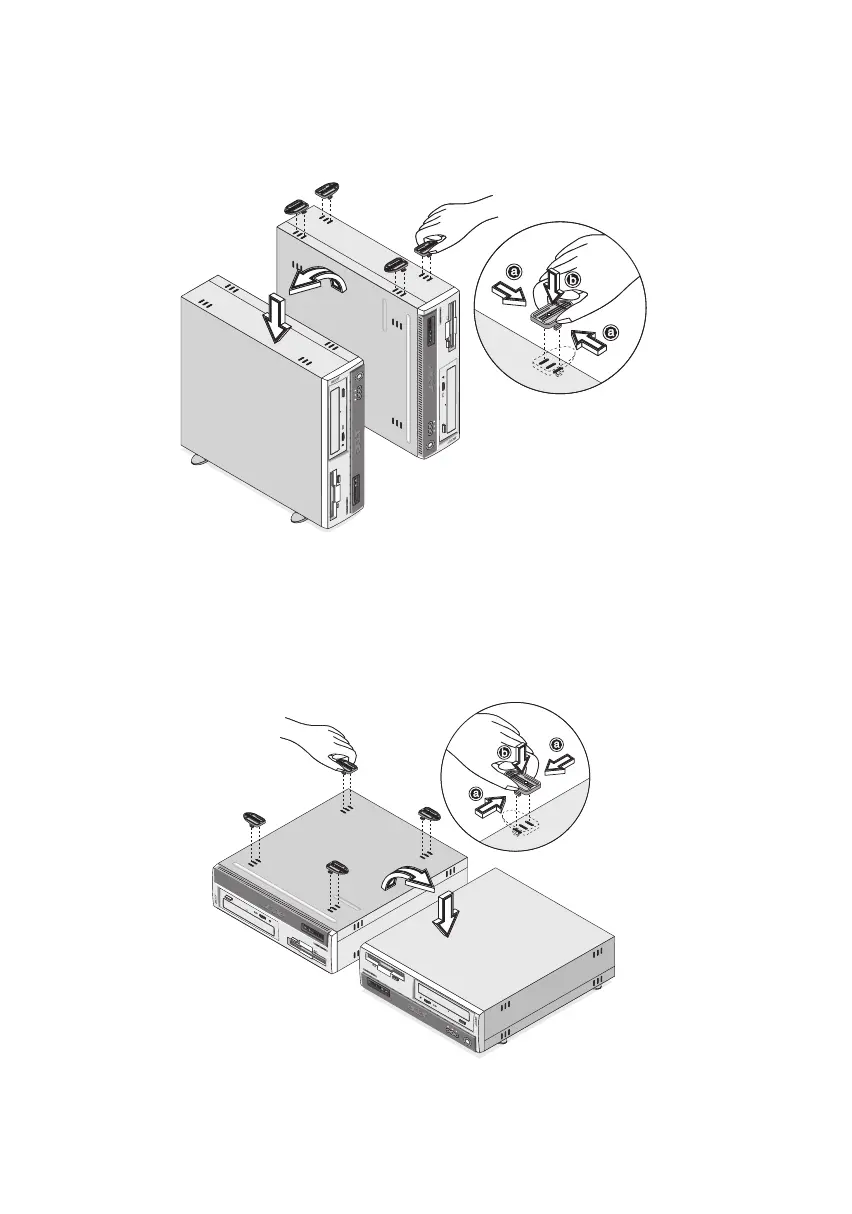
b. Attach the foot stands to the slots on the housing frame as
shown in the figure below:
To place your PC in the regular desktop position:
1. Check the foot stands that came with your computer.
2. Attach the foot stands as shown in the figure that follows.
ver3200AAC-0.book Page 28 Friday, March 2, 2001 3:52 PM












 To Next Page