4 Upgrading your computer
64
Audio board
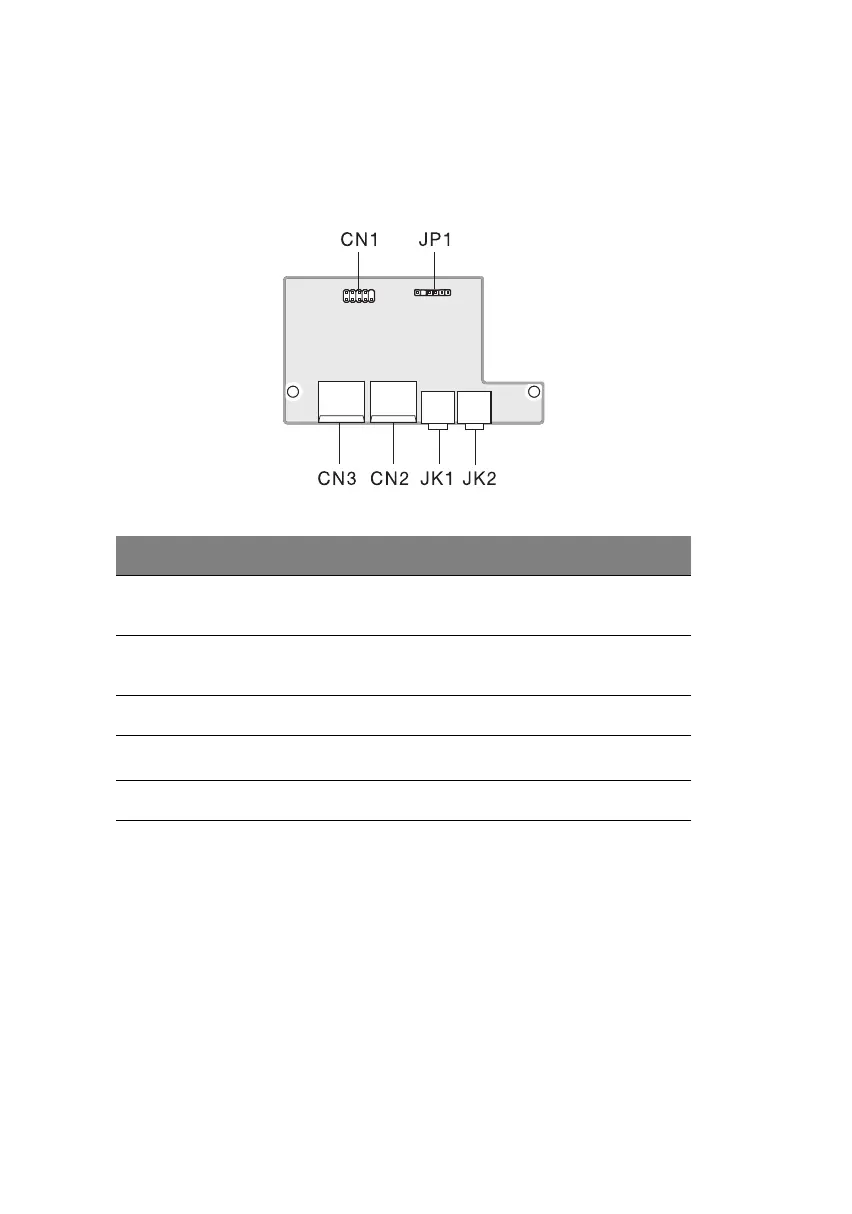
The audio board that came with your computer should look like the
figure that follows.
Label Description
JP1 Audio connector - connects to the AUDIO2
connector of the mainboard
CN1 USB connector - connects to the USB2 connector
of the mainboard
CN2 and CN3 USB ports
JK1
Microphone-in port
a
a. The system has two microphone-in ports (front and rear). However, you can not use
both of them at the same time. The default setting for your system enables the micro-
phone-in port in front and disables the one at the back.
JK2 Audio-out port
ver3200AAC-0.book Page 64 Friday, March 2, 2001 3:52 PM












 To Next Page