33
Monitor
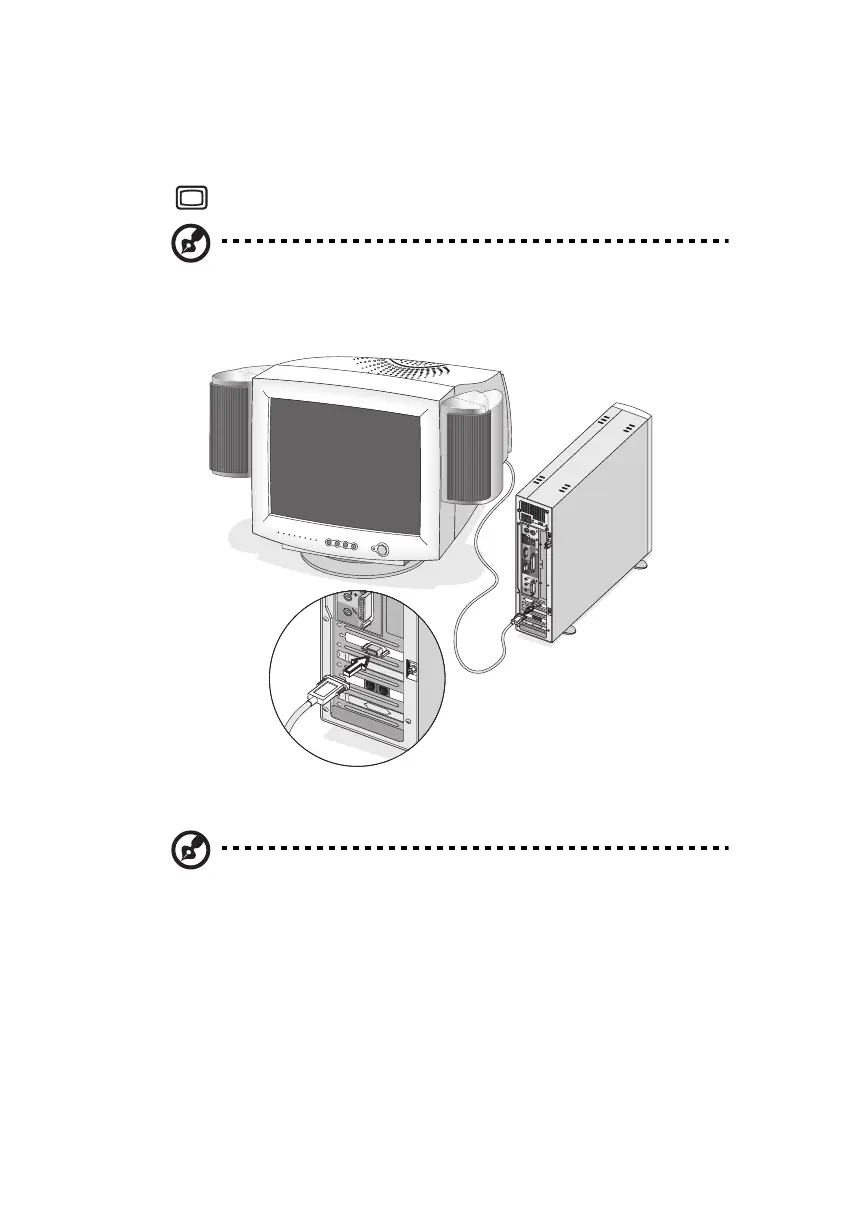
To connect a monitor, simply plug the monitor cable into the monitor
port (blue port) located on the rear panel of your computer.
Note: The CRT monitor port is automatically disabled when an
add-on VGA card is installed into the system. Connect the monitor
to the VGA port instead.
Note: Refer to the monitor manual for additonal instructions and
information.
ver3200AAC-0.book Page 33 Friday, March 2, 2001 3:52 PM












 To Next Page