4 Upgrading your computer
58
Installing an expansion card
Note: Observe the “Installation precautions” on page 47 when
installing or removing a computer component.
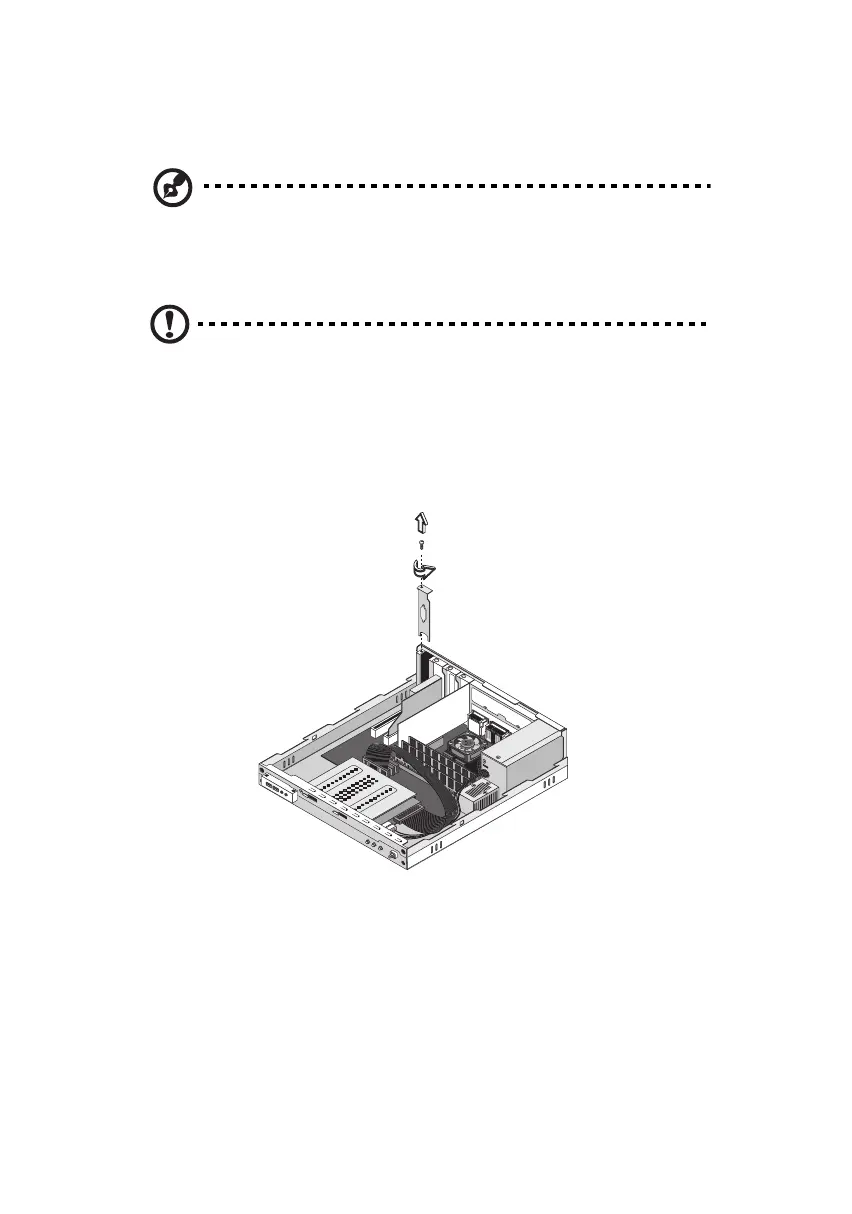
To install an expansion card:
Caution! The system accepts low profile PCI cards only.
1. Remove the cover (see page 49).
2. Locate an empty PCI slot on the mainboard.
3. Remove the screw that holds the bracket to the computer. Save
the screw.
4. Pull out the bracket on the housing opposite the selected empty
slot.
5. Remove the expansion card from its protective packaging.
ver3200AAC-0.book Page 58 Friday, March 2, 2001 3:52 PM












 To Next Page