4 Upgrading your computer
54
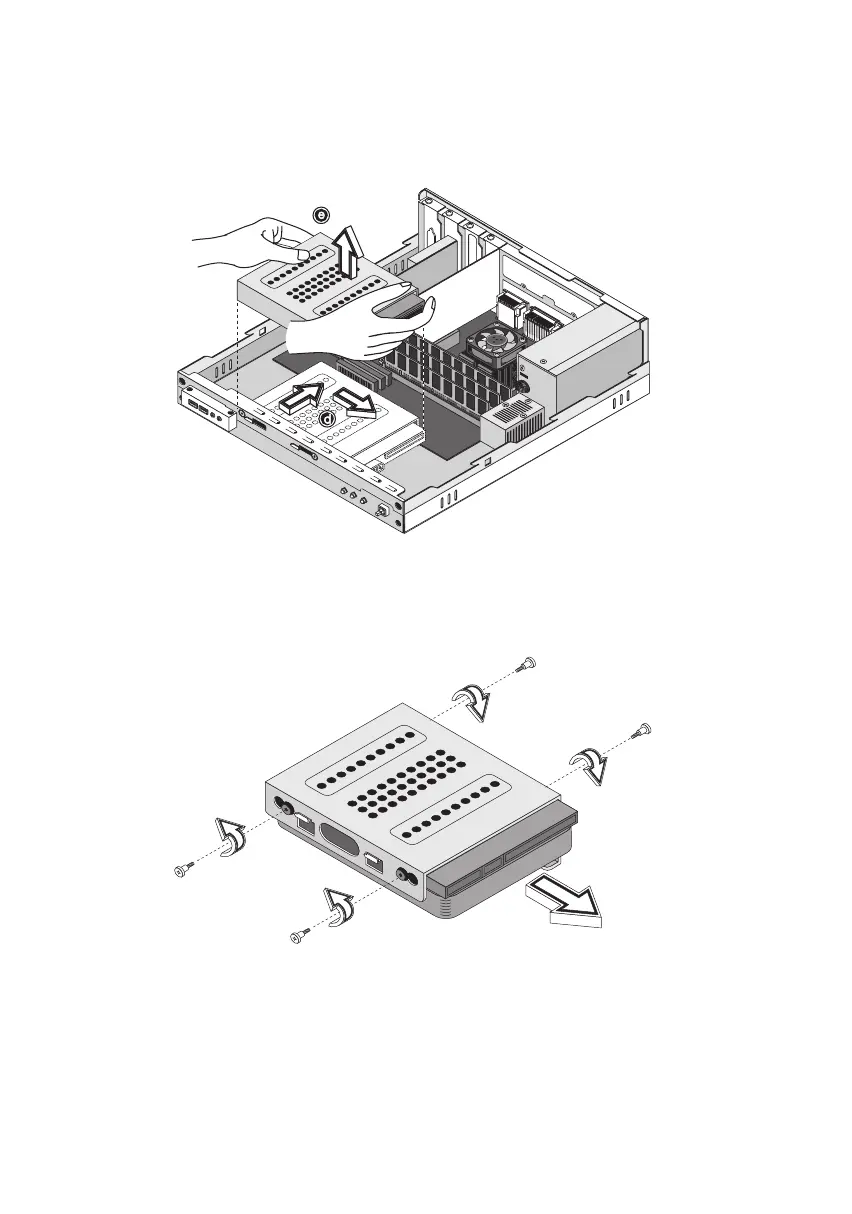
6. Hold the hard disk drive frame, slide it to the right and then gently
move it inward to detach it (see figure below).
7. Remove the four screws that hold the hard disk drive to the drive
frame and detach the hard disk drive. Set the screws aside.
ver3200AAC-0.book Page 54 Friday, March 2, 2001 3:52 PM












 To Next Page