4 Upgrading your computer
56
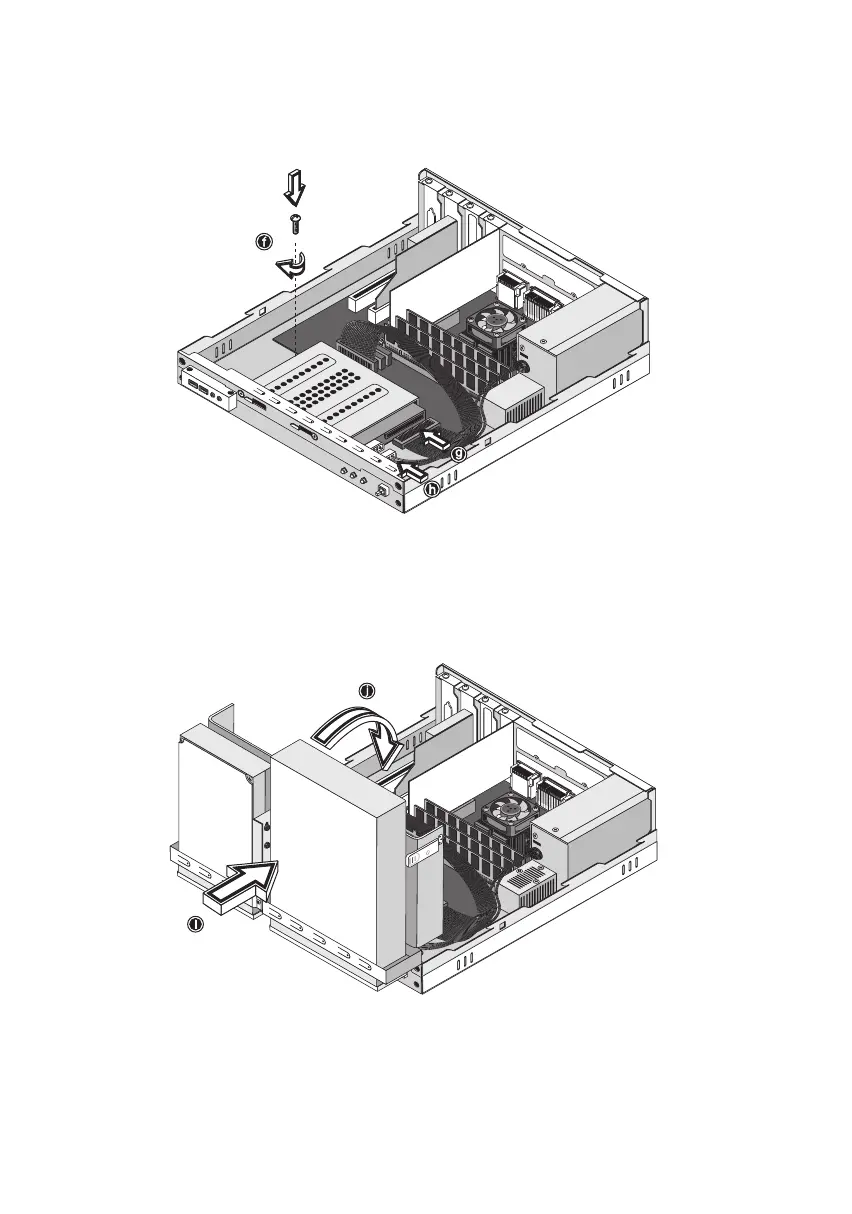
10. Reinstall the CD-ROM/DVD-ROM/CD-RW and 3.5-inch floppy disk
drive frame into the housing (see figures below). Make sure that
the tabs on both sides snap into place.
11. Reattach the CD-ROM/DVD-ROM/CD-RW and the 3.5-inch floppy
disk drive cables.
ver3200AAC-0.book Page 56 Friday, March 2, 2001 3:52 PM












 To Next Page