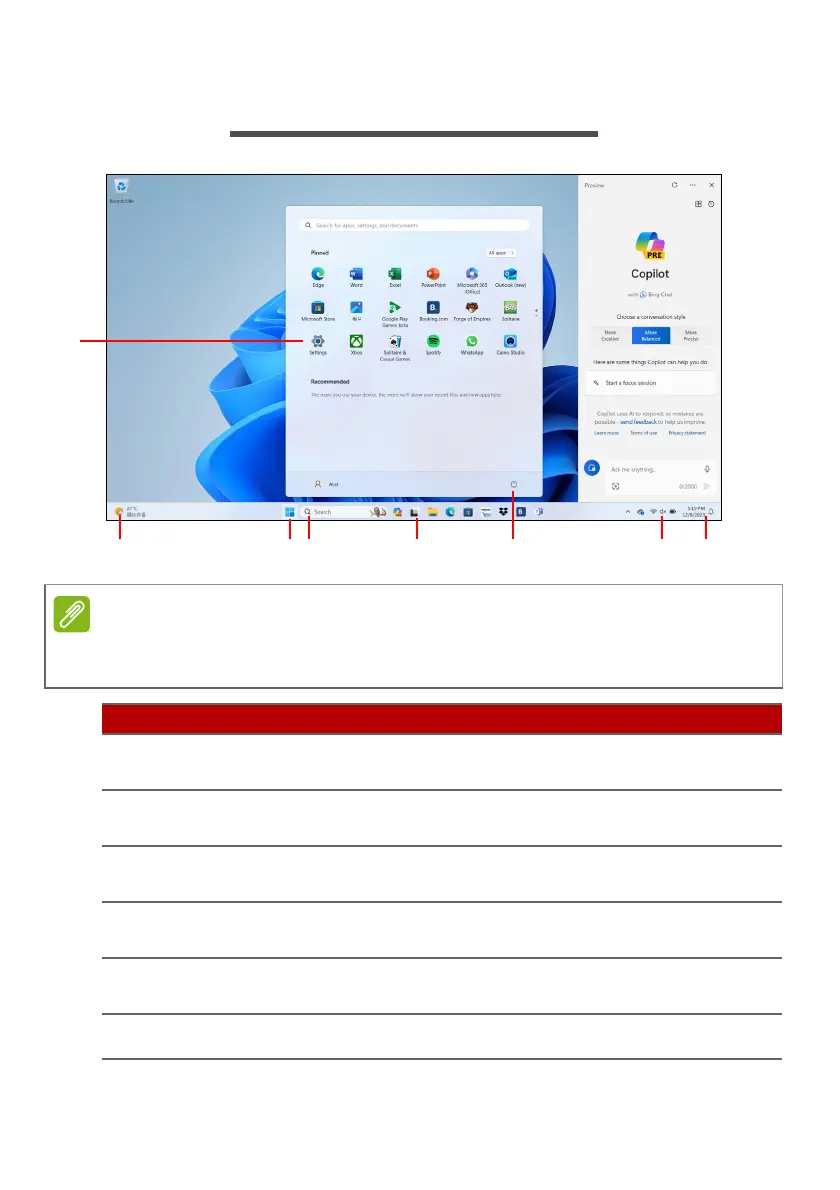
22 - The Windows OS Desktop
THE WINDOWS OS DESKTOP
Screen simulated, subject to change. Feature availability and rollout timing
varies by market and device.
# Item Description
1 Settings
Changes the apps settings for your
computer.
2Widgets
Provides the weather, news, stocks, and
sports information.
3Start
Launches apps, through Pinned,
Recommended, or All apps.
4Search
Types in the texts to search on your
computer and the Internet.
5Task View
Allows to switch between running
applications and add the virtual desktop.
6 Power Shut down, sleep or restart your computer.











 To Next Page