26 - Using the Precision Touchpad
Changing touchpad settings
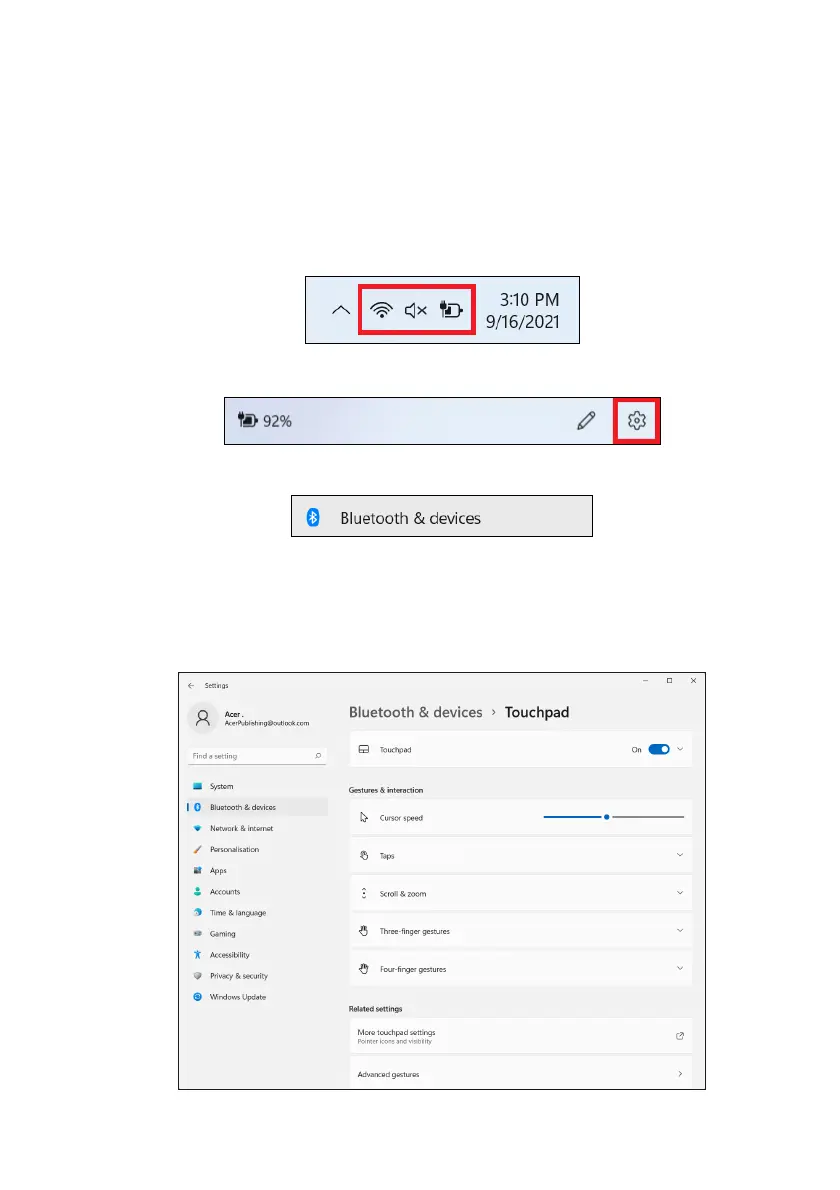
To change the touchpad settings to suit your personal
requirements, please do the following.
1.
In the icon tray in the lower right-hand corner of the screen,
select the
Network, Sound and Battery
icon to open the
Quick
settings
pane.
2.Select All settings.
3.Select Bluetooth & devices > Touchpad
4.Now you can adjust the settings to suit your personal needs.
You can switch off the touchpad if you prefer to use a mouse. Or
you can adjust the touchpad sensitivity to suit your needs. Scroll
down to see more settings.











 To Next Page