NitroSense - 41
NITROSENSE
NitroSense allows you to switch operating modes, control fan
behavior, customize pulsar lighting settings, and select sound
effects. Each function can be done individually or collectively
through constructing scenario profiles, which enable the
synchronization with the associated apps. NitroSense also allows
users to fine-tune several parameters related to power
consumption and conduct quick-check on health of battery,
storage, and ram.
Quick-access to switching scenarios, monitoring system
performance, checking live updates, and the apps are available
through the widget cards.
The
NitroSense
main screen
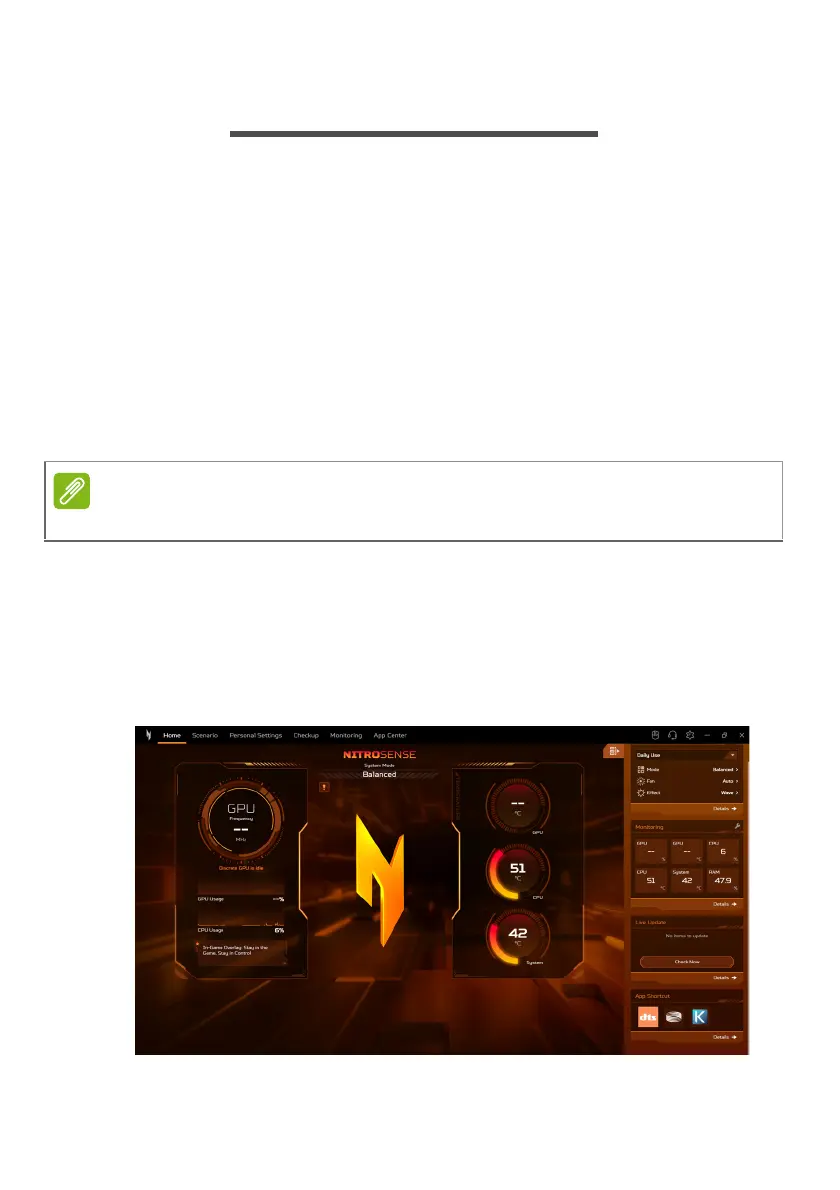
The Home screen provides an one-glance overview of system
performance and temperatures. It also dynamically displays the
current system mode with live 3D avatar that accurately reflect
the operational status.
Function varies depending on configuration.










 To Next Page