NitroSense - 49
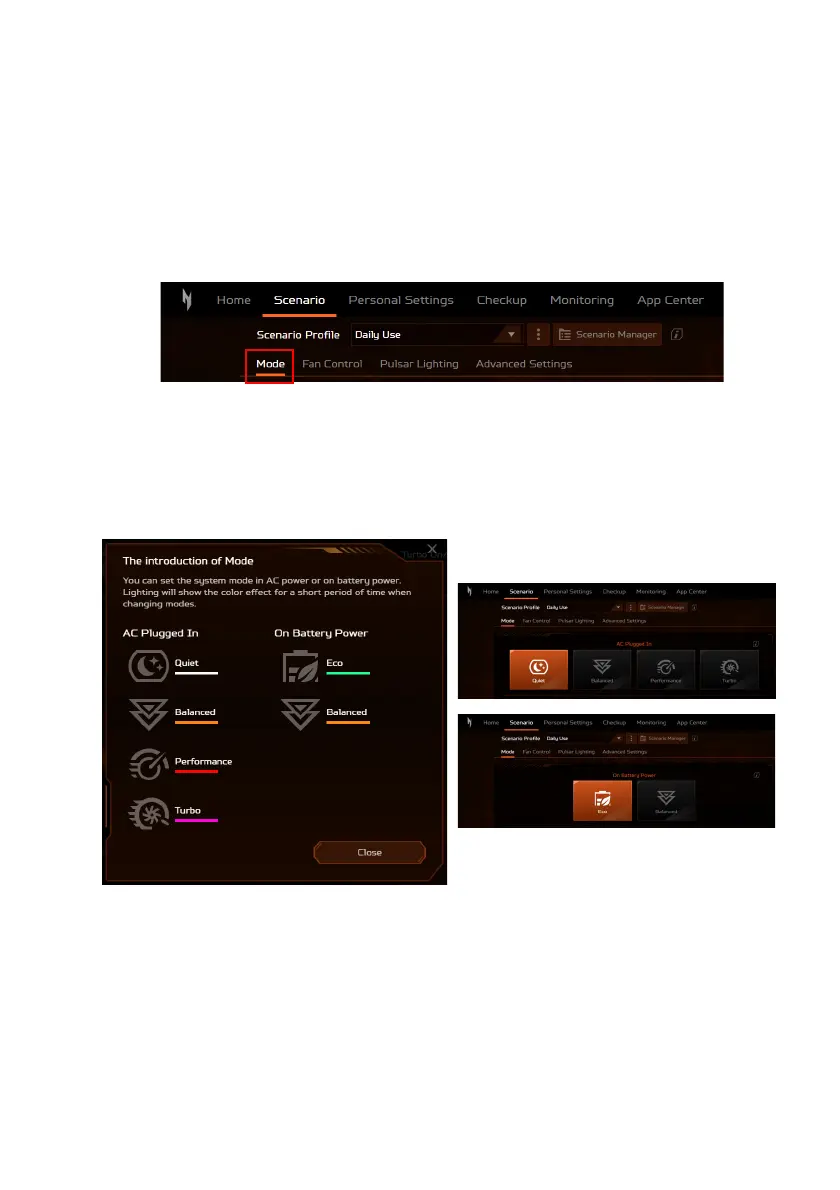
System Mode
You can optimize your laptop with different modes using the
widget card or select the Mode tab under Scenario screen.
There are two or four distinct preset modes (depends on your
power supply) of selection. Choose the one that best suits for your
specific use case.
According to the power supply of your laptop, AC Plugged In or
On Battery Power, you can choose from Quiet, Balanced,
Performance, Turbo and Eco modes. And each of them has
something specific to fulfill different usages. Lighting will show
the color effect for a short period of time when changing modes.









 To Next Page