48 - NitroSense
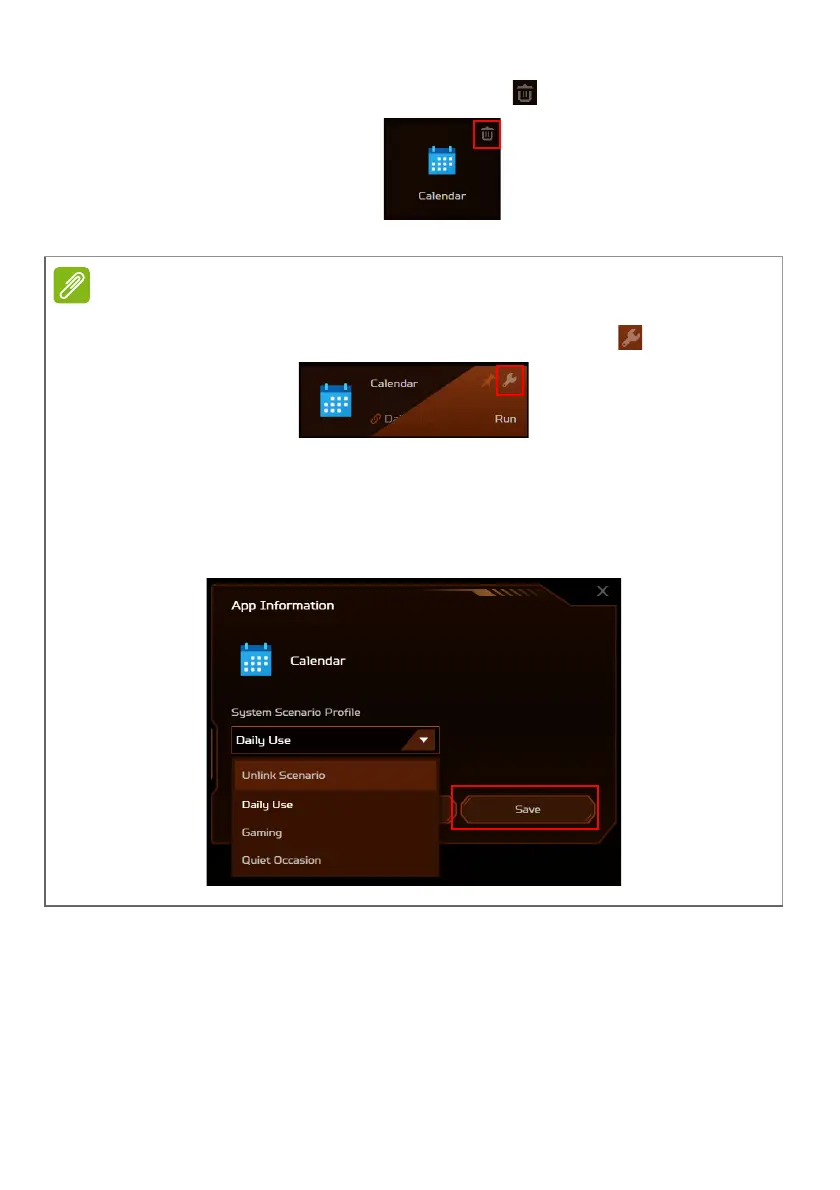
To remove the app, click the Delete icon next to the app.
You can also link/unlink apps under the
App Center
tab. Hover the cursor
over the app that you want to link and click the Adjust icon .
Select the scenario profile from the System Scenario Profile drop-down list
and click
Save
.
To unlink, select the Unlink Scenario from the System Scenario Profile drop-
down list and click
Save
.









 To Next Page