NitroSense - 59
App Center
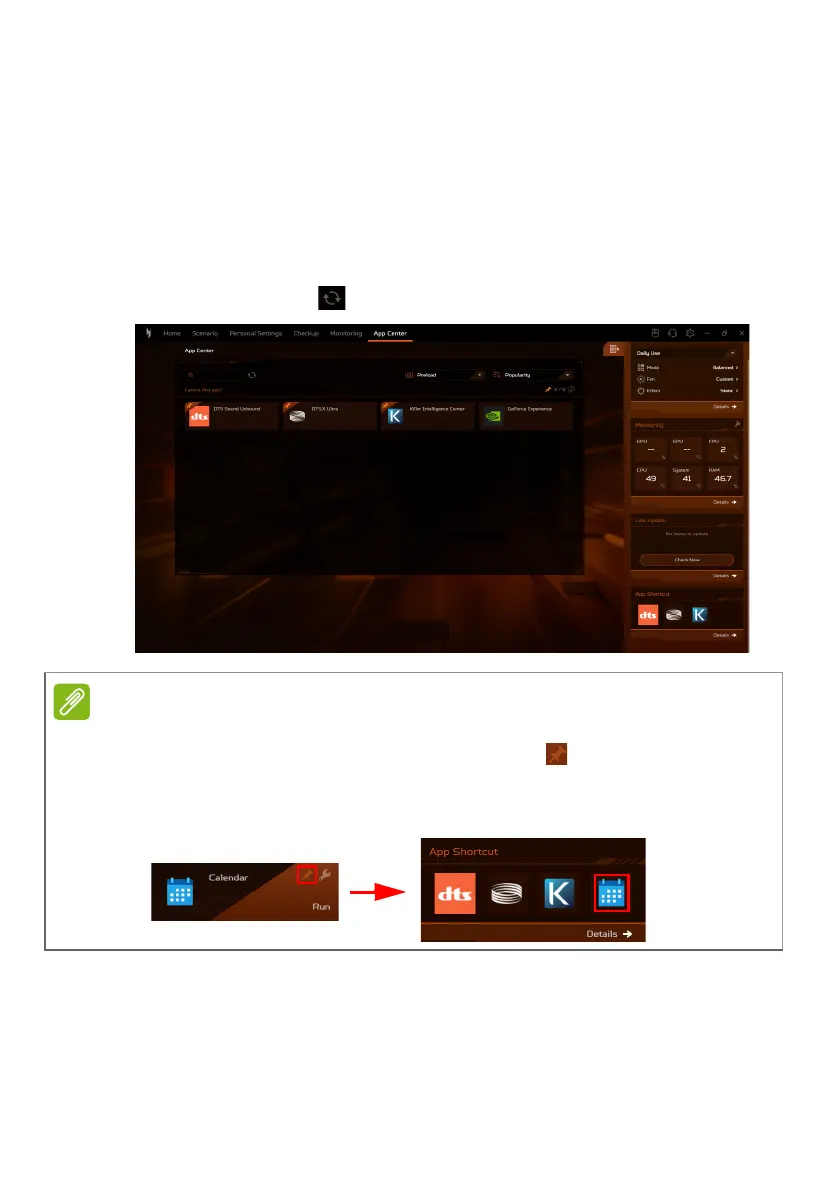
Select the App Center tab to swiftly launch the installed app on
your laptop. In case you cannot locate the app within the
comprehensive list of All Apps, utilize the search function. In
addition, you can refine the display by showing only preloaded
apps or games, and organize them based on Popularity,
Alphabet, or Installation Date. If the app is newly installed, then
click the Refresh icon to reload the view.
For ease of access, you can pin the app shortcut to the widget card. To do so,
hover the cursor over the app and click the Pin icon . To unpin the app from
the widget card, repeat the step.









 To Next Page