46 - NitroSense
Scenario Profiles
You can create, rename, duplicate, restore or remove a scenario
profile. Each profile can be redefined in
Scenario Manager
.
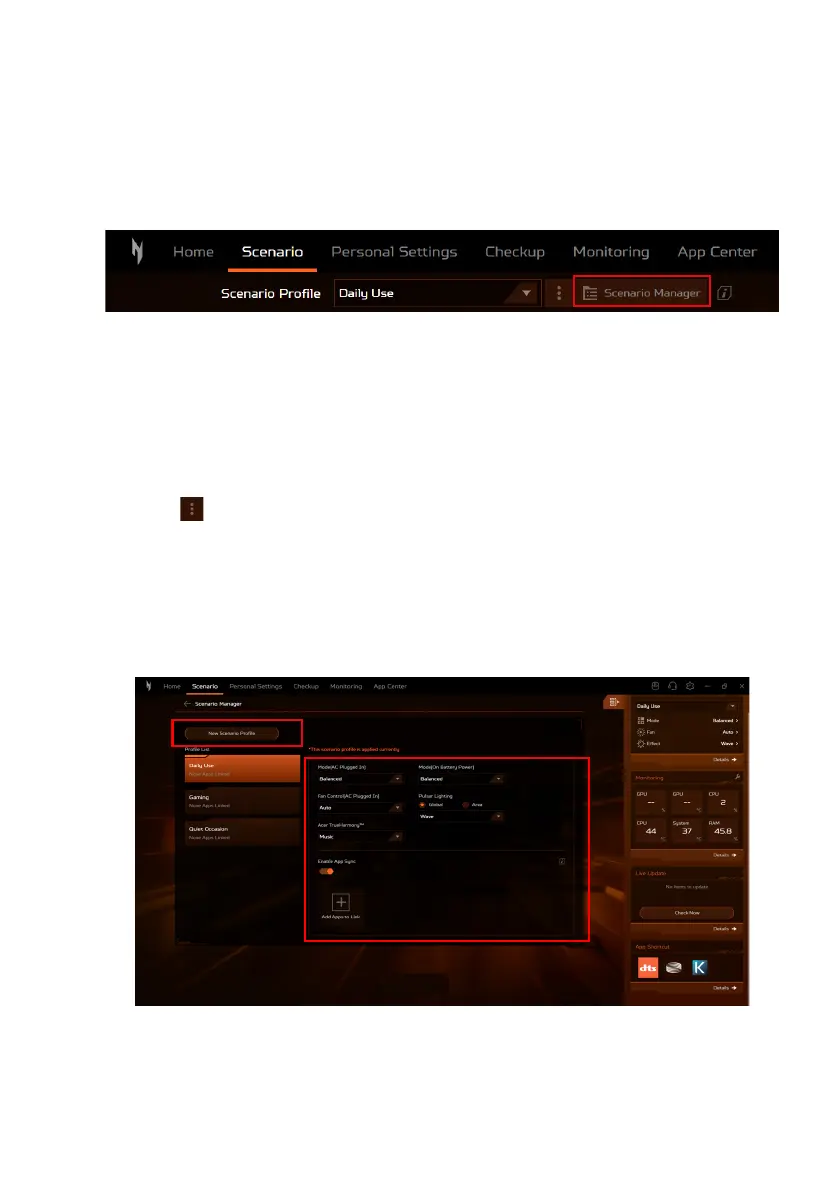
To manage the scenario profiles, click Scenario Manager.
Creating a New Scenario Profile
You can create scenario profiles with customized system mode,
fan performance, lighting effect, Acer TrueHarmony™ setting, and
linked apps.
To add a new profile, do the following:
1.Click in Scenario screen > Add New (from the drop-down
list). Enter a new name for the profile and click Create.
Or
2.Select Scenario Manager > New Scenario Profile. Enter a new
name for the profile and click Create.
Then, you can configure the scenario options for the new ones.










 To Next Page