Recovery - 29
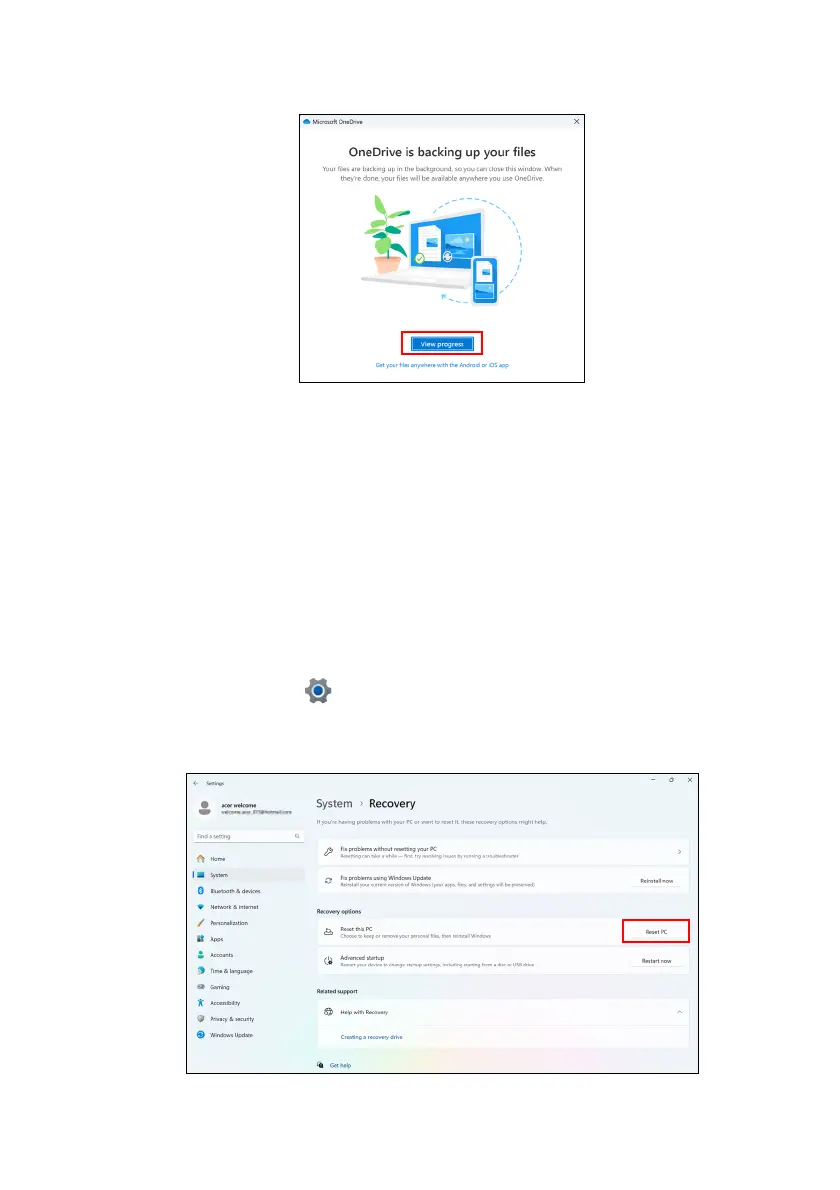
4. You can select View progress to watch files sync until it completes.
5. To open the OneDrive folder, double-click OneDrive icon in the
notification area.
Restoring your computer
Recovery allows you to quickly and easily restore your computer
back to its default status. You can choose to keep your files or
remove them before reinstalling Windows.
Reset this PC and keep my files
1.Click on Settings in the Start menu, select System, and then
select Recovery.
2.Click Reset PC to Choose an option.











 To Next Page