30 - Recovery
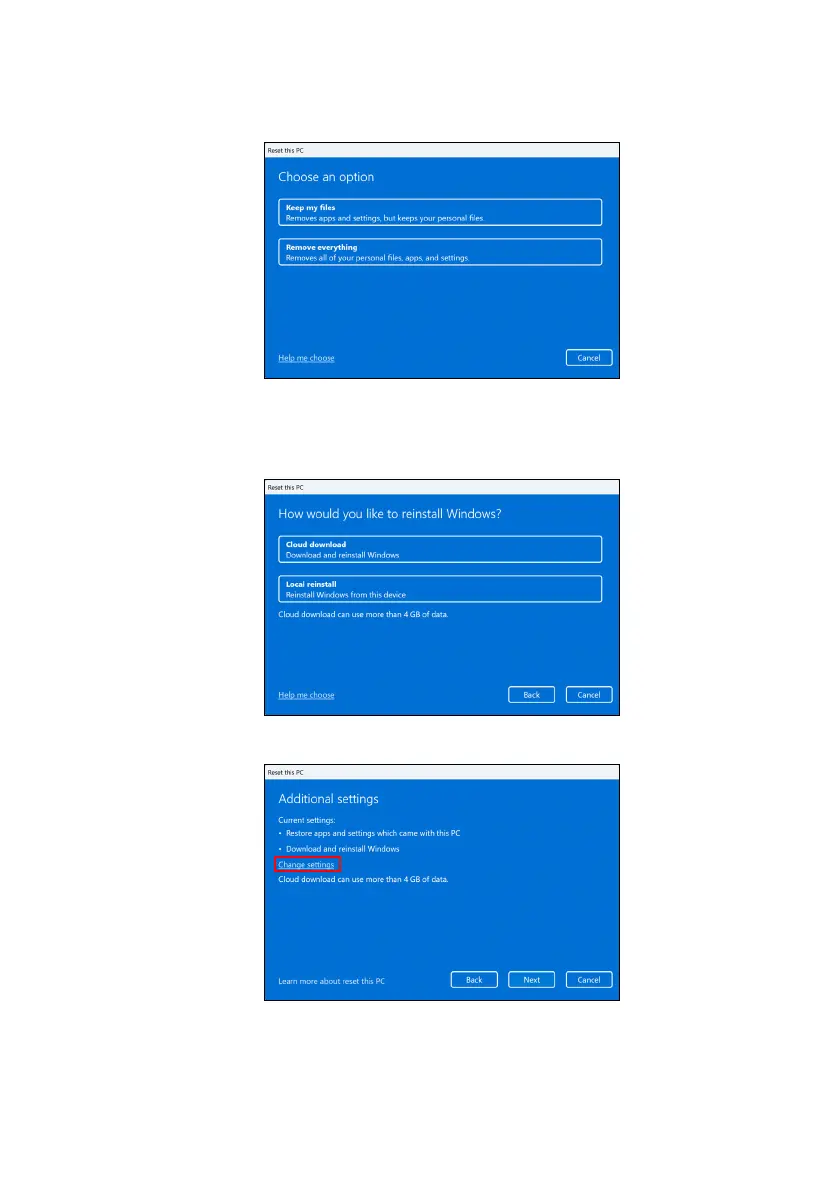
3.Select Keep my files to refresh your PC and reinstall your
operating system without removing your personal files.
4.Choose from the two options - Cloud download or Local
reinstall to reinstall Windows. (Ensure you are connected to the
internet when using Cloud download.)
5.Click Change settings to open the Choose settings options.









 To Next Page