Recovery - 31
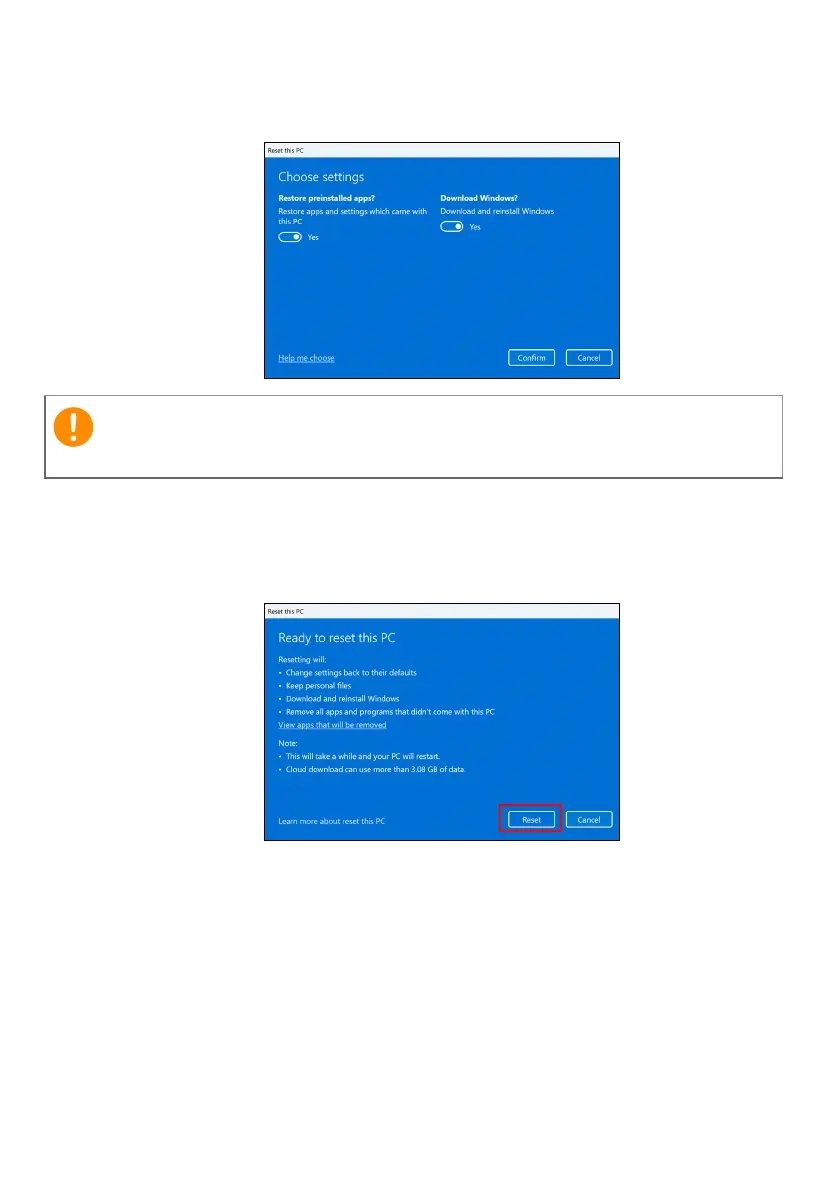
6.Choose your settings options and follow the instructions on
screen. Click Confirm then Next to continue.
7.Resetting the PC will reinstall Windows, change settings back to
their factory defaults and remove all preinstalled apps and
programs without removing your personal files. Click Reset to
continue. This will take a while and your PC will restart.
8.You will be shown the reset progress on the screen. The screen
will turn off during the reset process.
9.The screen will turn back on when it is installing Windows. Your
PC will restart several times during the reset process.
10.Follow the process until it completes.
11.When your PC has completed the reset process, Windows will
have been reset back to its factory default settings without
removing your personal files.
If you have apps installed on your PC, they will be removed.











 To Next Page