NitroSense - 47
App Sync settings
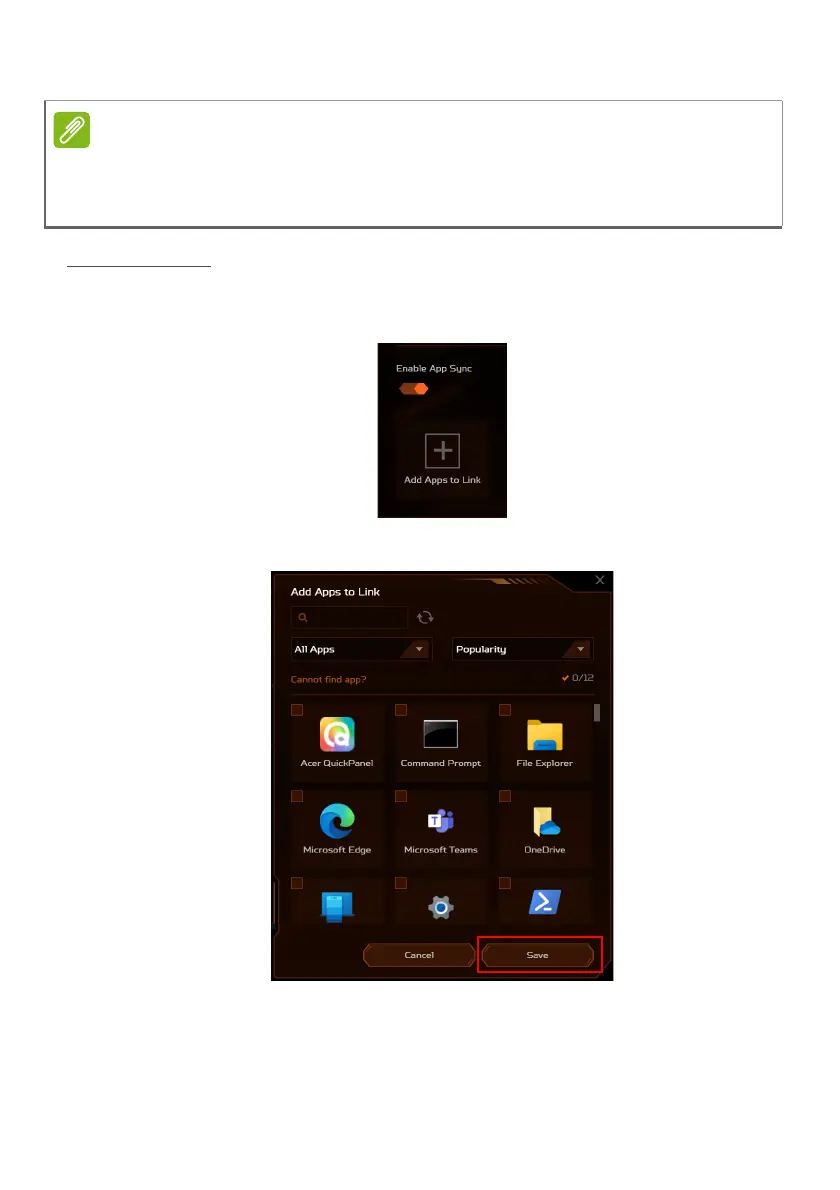
Turn on the App Sync function if you have more than one
scenario. Click the Add Apps to Link icon.
Select the apps that you want to add and click Save.
Linked app means that when you run the app, it will automatically switch to
the associated scenario profile.
You can link apps both in the Scenario Manager and in the App Center.









 To Next Page