17
6. Ultra-Low Latency: Set to On to speed up the processing time of the display switching
process.
7. Black Boost Pro: The Black Boost Pro is on, it will compensate for the brightness of the
dark level, so that the objects under the dark level can be clearly seen.
8. Aim Point: Show an Aim point on the screen for shooting games.
9. Sniper Mode: Accessibility for games.
• Scope Mode
• Scope Ratio: To control the content magnification ratio.
• Scope Size: To control the scope window size.
• Scope with Night Vision: To control the night view effect.
• Scope Ratio: Choose scope ratio (1.5x, 2x, 4x), default is 2x.
• Scope Size: Choose scope size (Small, Middle, Large), default is Middle.
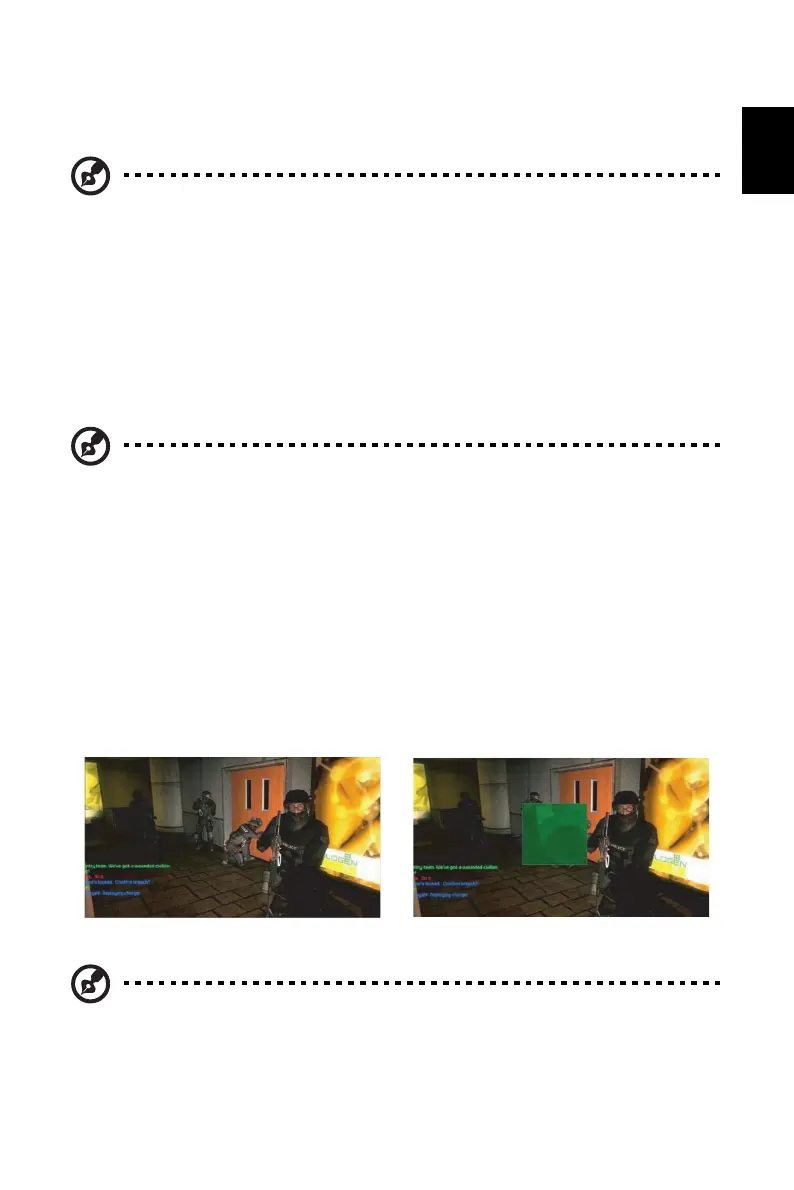
• Scope with Night Vision: To filter R&B channel.
10. Timer: OSD Shows the timer on monitor top-left side.
Note: • Ultra-Low Latency is not support video interlace mode.
• Ultra-Low Latency is not supports V-Frequency below 48Hz.
• Ultra-Low Latency is not supports resolutions below 800x600.
• Ultra-Low Latency is support only Wide Mode = Full and gray out.
• AMD FreeSync Premium is "Off", Ultra-Low Latency can control "On" or "Off".
• AMD FreeSync Premium is "On", Ultra-Low Latency is auto setting to "On"
and gray out.
• Detail function definition & information, please refer to Acer Ultra-Low
Latency specification.
Note: • Black Boost Pro default is "Off".
• Black Boost Pro is "On", the HDR is auto be set Off.
Scope with Night Vision: Off Scope with Night Vision: On
Note: 1. If user select 30 mins, OSD will countdown the timer from 30:00 to 00:00.
2. When the Timer Set On, the Aim Point and Refresh Rate Num is gray out.


 To Next Page