21
Void item: Choose one item and click ‘Void Item’ can delete one item from the receipt;
Void All Items: Click ‘Void All Items’ can cancel a receipt before settling account;
Last Receipt: Click ‘Last Receipt’ can reprint the last receipt;
Open Drawer: After inputting the number of bill that was paid, click ‘Open Drawer’ to open drawer and
change;
NO REC: Click ‘NO REC’ means not to print the receipt;
Feed: When the paper feeds abnormally or ectopically, click ‘Feed’ can adjust the paper;
TAX: Click here to enable tax status;
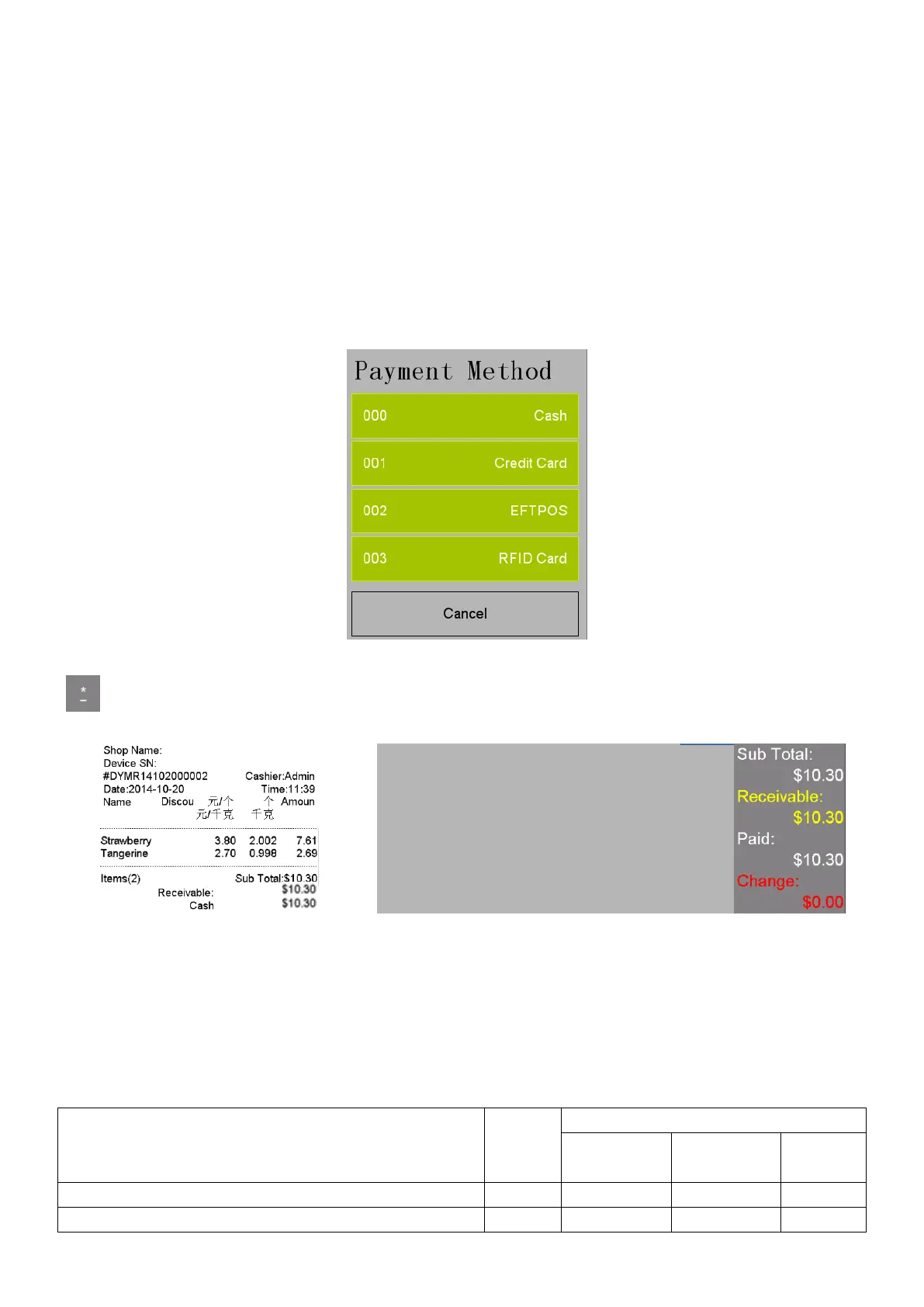
Payment: Click ‘Payment’ to switch the payment method, there are such payment method as ‘Cash’,
‘Credit Card’, ‘EFTPOS’, ‘RFID Card’. As shown in the following picture:
: Click this key to print the receipt
Fresh Code Operation:
This method is for selling cargoes without PLU picture on touch screen and need to sell this cargo by
inputting corresponding FRESH CODE.
Sales example: Some tangerine weighing 0.998kg and strawberry weighting 2.002kg are sold, and the unit
price of tangerine is 2.7 $/kg , and the unit price of strawberry is 3.8 $/kg. The fresh code of tangerine is
100012, and the fresh code of strawberry is 100006. The vender is Admin. Steps are as following:
1.Press ‘->0<-’ if the weight is not zero
2.Put Tangerine on the tray



 To Next Page