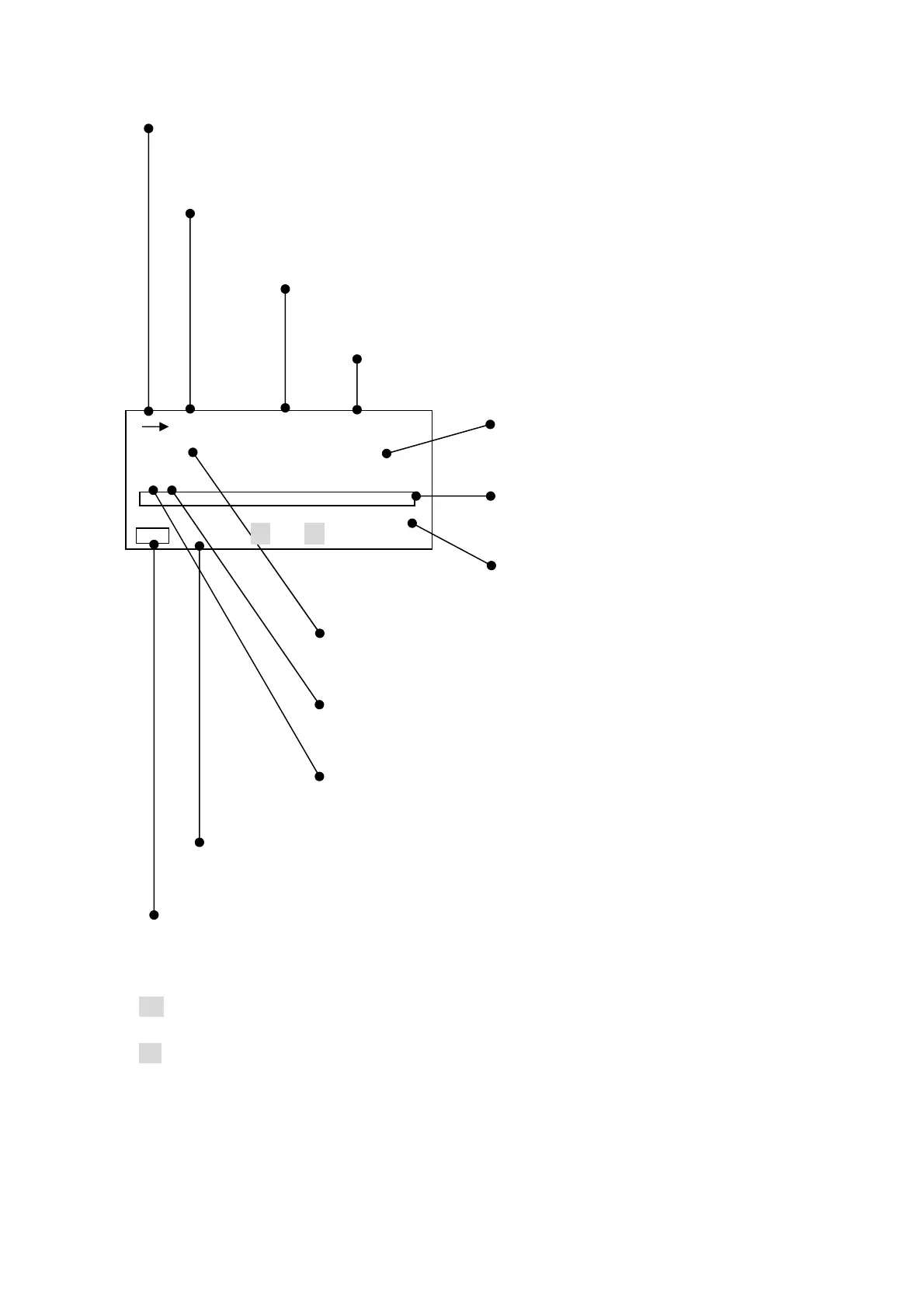
1-2 Normal display mode
→: Operation indicator
→ Blinking : in operation (by pressing
Start
key)
■ : Pause (by pressing
Pause
key).
When Data deletion mode is set, this symbol does not appear.
E : Data deletion mode
E
appears when
Data delet
was selected in
Menu
.
When
Meas Time
is 1, 3 or 5s,
E
does not appear.
00h : Measurement time:
Shows the time set with
Meas Time
.
000h 00m 00s : Time counter
This counter starts by pressing
Start
key.
Digital display:
Shows a present value.
Bar display:
Shows an instantaneous value with bar graph.
Range:
Shows a range selected with
Range
key.
Time weighting:
Shows time weighting(Fast ・Slow, Impulse) when “general
measurement” is selected
Frequency weighting:
Shows frequency weighting (A ・C, Flat).
Mode of Measurement
Shows the selected mode (L, Leq, Le or Lx) with
Mode
key
when “general measurement” is selected
Basic setting:
Manu
: General measurement
Peak:
Peak measurement
Cal
: calibration mode
Battery condition:
Shows four level display of battery condition.
・ When the input signal level is lower –0.6dB than the limited scale of selected range,
Un appears.
・ When the input signal level is higher +3dB then the limited scale of selected range,
Ov aqqears.
・ Digital display shows the time-weighted or frequency-weighted value.
・ Digital display is updated once per second.
・ Bar display is updated 10 times per second.
130.0
00h 000h00m00s
E
FAST
L
A
dB
40 130
Manu Un Ov



 To Next Page