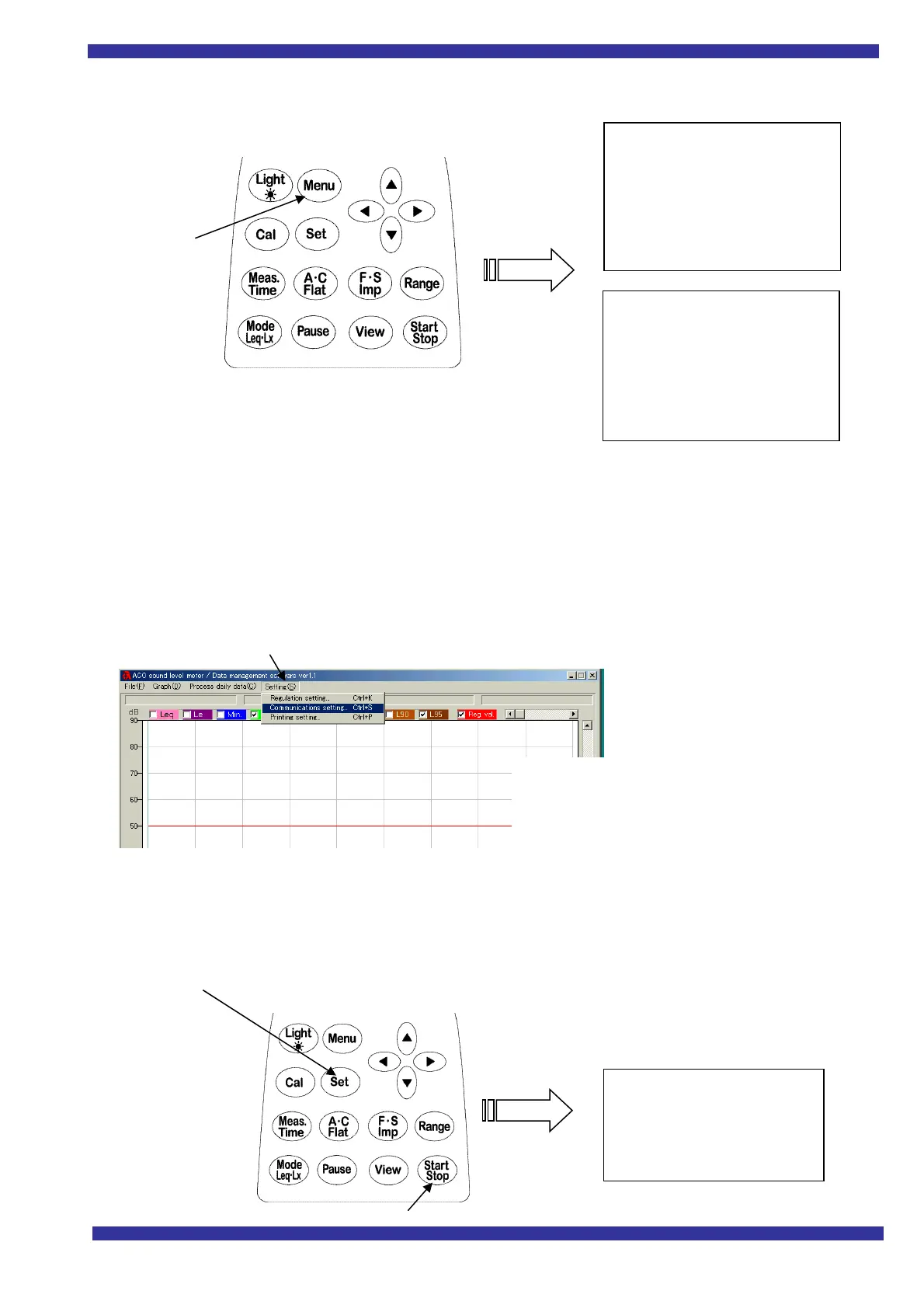
Transmitting data after measurement
1. Settings for data measurements
<menu> Screen settings
Meas Mode Manu
Interval Repeat or Single
I/O Off
baud rate 9600
Note: Make settings for other items as needed to suit your purpose in making measurements.
2. Settings when transmitting data to the PC
After making measurements, connect the sound-level meter to the PC.
Note: Make sure that you are using a transmitting Interface cable.
>>Settings on the PC side
>>Settings for and operation of the sound-level meter
1)
<menu> Screen settings
I/O Change to PC
2) Press Set to confirm, then press Start/Stop.
The screen below appears,
and data transmission begins.
Press Menu
Communication speed 9600 BPS (normal)
Communications port Select between
COM1 and COM8
<PC>
List ->
Meas Mode :Manu
Interval :Repeat
I/O :Off
Data delet :Off
LCD cont :****
date y/m/d :00/11/20
Time :11:30:26
Range :100dB
Dyn charF :FAST
Freq corr :A
Meas time :***
View :L50
baud rate :9600



 To Next Page