5.2. Menu AMP SERVICE (Amplifier Service Functions)
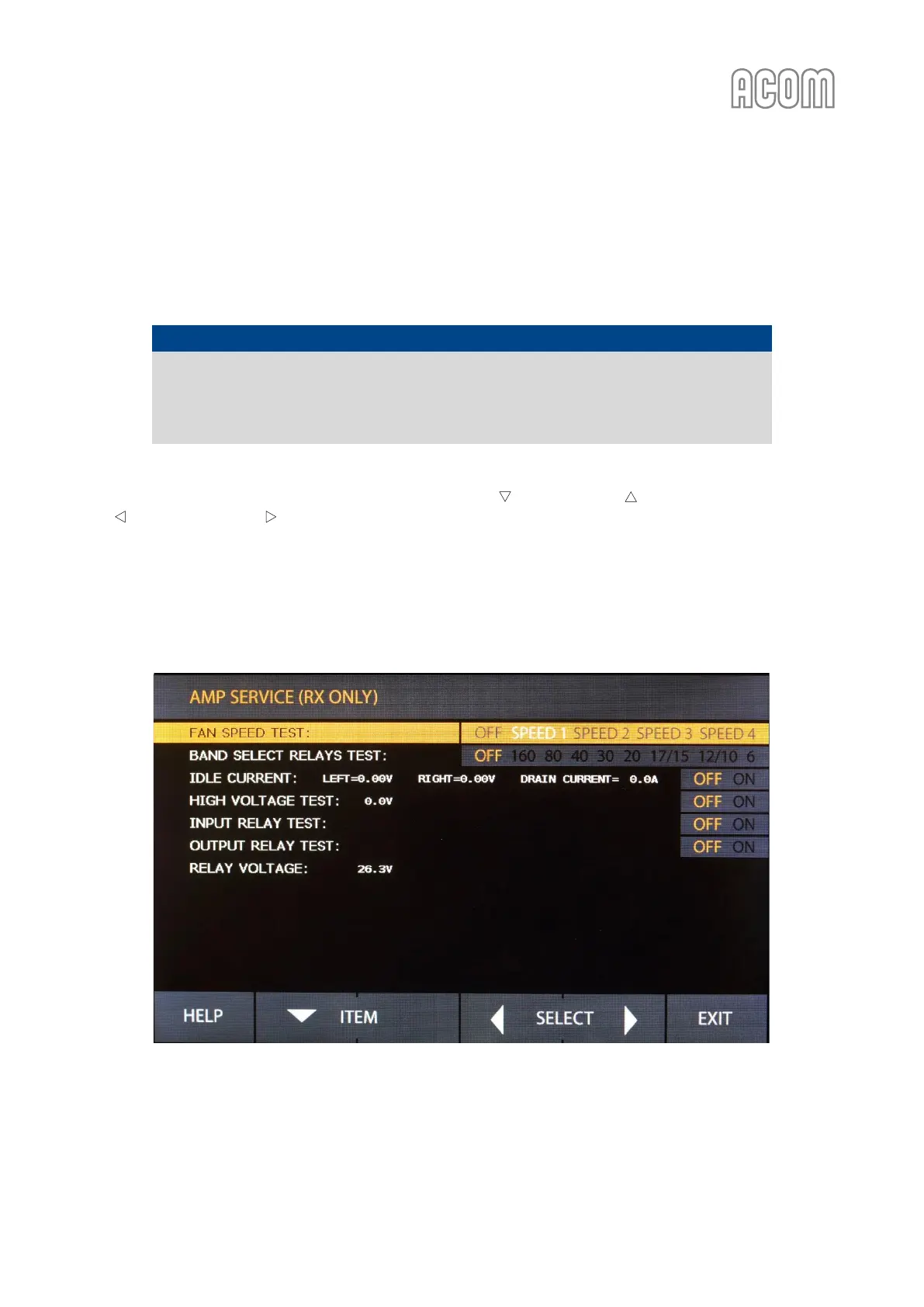
The amplifier service menu (see Figure 5-3 | Menu AMP SERVICE) is accessible from the MENU SELECTION
screen (see Figure 5-1 | MENU SELECTION) at RX mode only.
NOTICE
The AMP SERVICE menu is used for checking and adjustment of the zero-signal (idle) drain
current of the final transistors and for testing some functions and circuits of the amplifier
when serviced. We recommend these procedures are carried out only by a trained service
technician!
The necessary service function is selected with the buttons ITEM and ITEM (up and down arrows). With
the SELECT and SELECT buttons (left or right arrows) the selected function is turned ON or OFF.
The inactive functions are greyed out and the active are red. When leaving a function submenu, it is turned
off and deactivated automatically. At pressing the EXIT button all service functions are turned off, and the
MENU SELECTION screen comes back (see Figure 5-1 | MENU SELECTION). At consecutive pushing of the EXIT
button, the basic screen returns (see Figure 3-2 | Basic screen).
Figure 5-3 | Menu AMP SERVICE
Figure 5-3 | Menu AMP SERVICE



 To Next Page