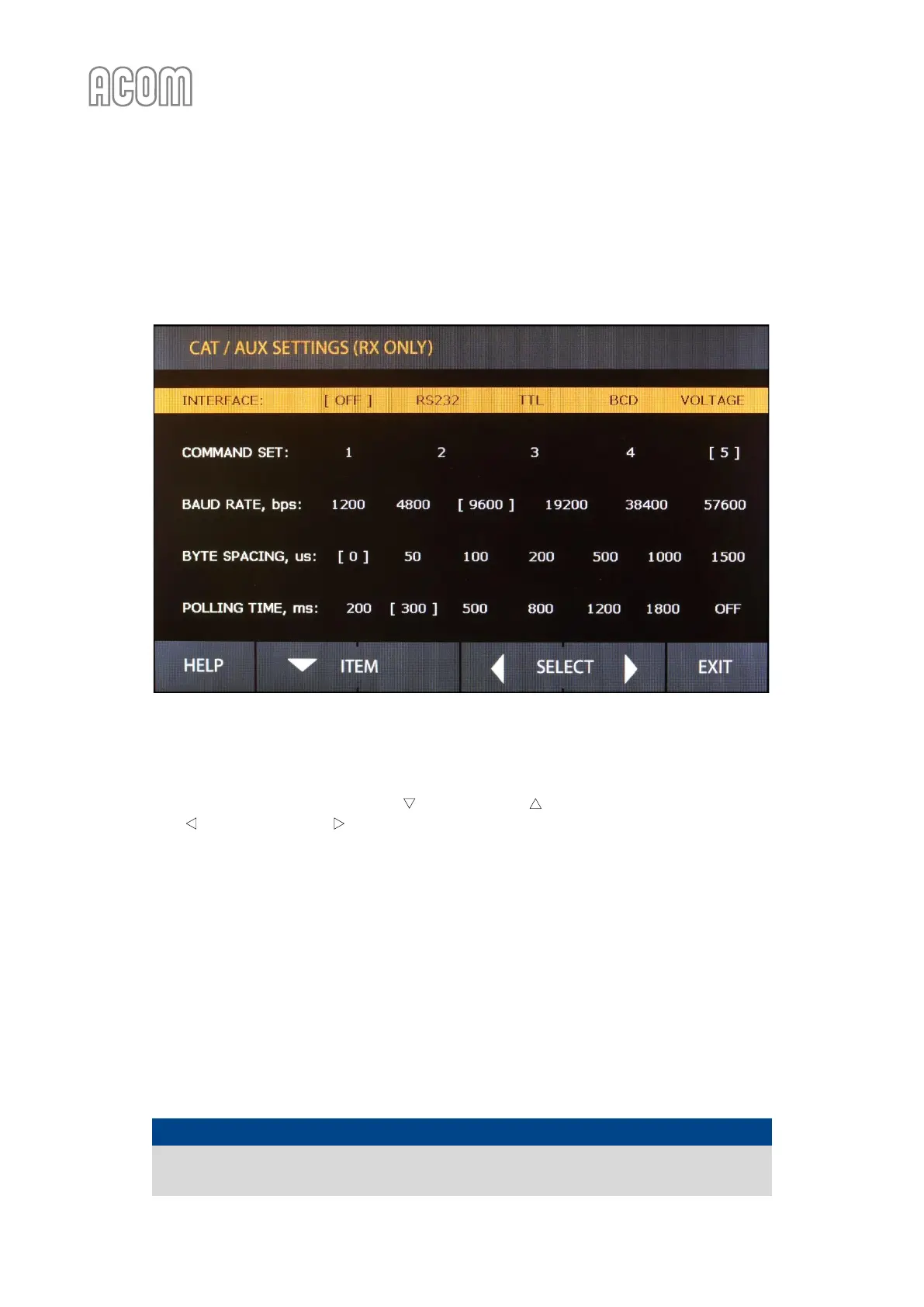
5.3. Menu CAT/AUX SETTINGS (Selection of CAT/AUX interface)
After a CAT cable is connected to both the transceiver and amplifier, the correct settings for the transceiver
have to be entered via this menu. If there is no CAT connection, OFF has to be selected as INTERFACE type.
Figure 5-4 | Menu CAT/AUX SETTINGS
Figure 5-4 | Menu CAT/AUX SETTINGS
The CAT settings are accessible only in RX mode (see Figure 5-1 | MENU SELECTION and Figure 5-4 | Menu
CAT/AUX SETTINGS. An item is selected by the ITEM and ITEM buttons (up and down arrows). The value
is set with the SELECT and SELECT buttons (left or right arrows). Your selection appears in square brackets
[x] on the screen.
If the amplifier CAT port is connected to the transceiver via either BCD Band Data or Band VOLTAGE output,
select the respective interface type on top row and push EXIT button. The other items and values will be
ignored with such a selection.
If the CAT cable is plugged into the transceiver's serial port, select the interface and command set according
to Table 5-1 | Transceiver interface. The baud rate has to be set to the same value as the transceiver's. The byte
spacing and polling time may be left unchanged.
Last select the interface type (RS-232 or TTL) according to the Table 5-1 | Transceiver interface and used
connection, then push EXIT button to return to MENU SELECTION.
NOTICE
If there is no CAT connection, but CAT INTERFACE is selected (activated) an error message
will be displayed when you change the band.



 To Next Page