4-16
4.2 Operation and features SPM-32A ... SPM-36A
4.2.1.1 Selective level measurements
To set the instrument for selective measurements:
• Select input and input impedance:
Use the key in the group marked "Z/Ω" and the shift key:
[*] [1], [*] [2] or [*] [3]
---> (see section 4.2.2 on page 4-22)
• Set the receive frequency:
Use [TUNE], [STEP] or [SEARCH] (frequency search)
---> (see section 4.2.2 on page 4-22)
• Absolute voltage level/power level, level difference or
level in dBm0:
Use [ABS], [ABS-REF] or [dBm0]
---> (see section 4.2.5 on page 4-46)
• Select one of the bandwidths:
Use the keys in the group marked "BANDW/Hz" and the
shift key: [*] [4], [*] [5] or [*] [6]
---> (see section 4.2.4 on page 4-39)
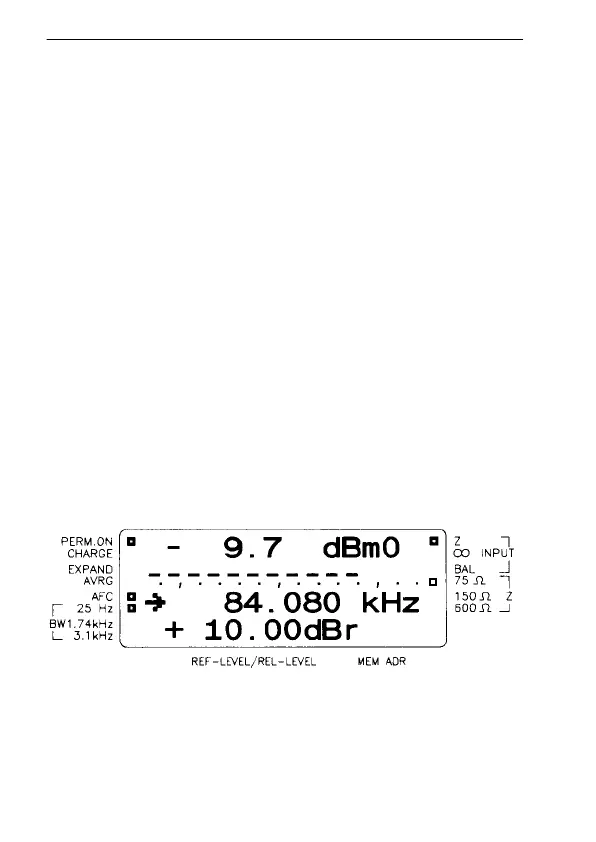
Reading the display in selective level mode
Fig. 4-1 Typical selective display.



 To Next Page