4-44
4.2 Operation and features SPM-32A ... SPM-36A
SPM-34A/-35A:
Note:
A 300 Hz filter can be supplied as an option instead
of the 400 Hz filter for the SPM-34A.
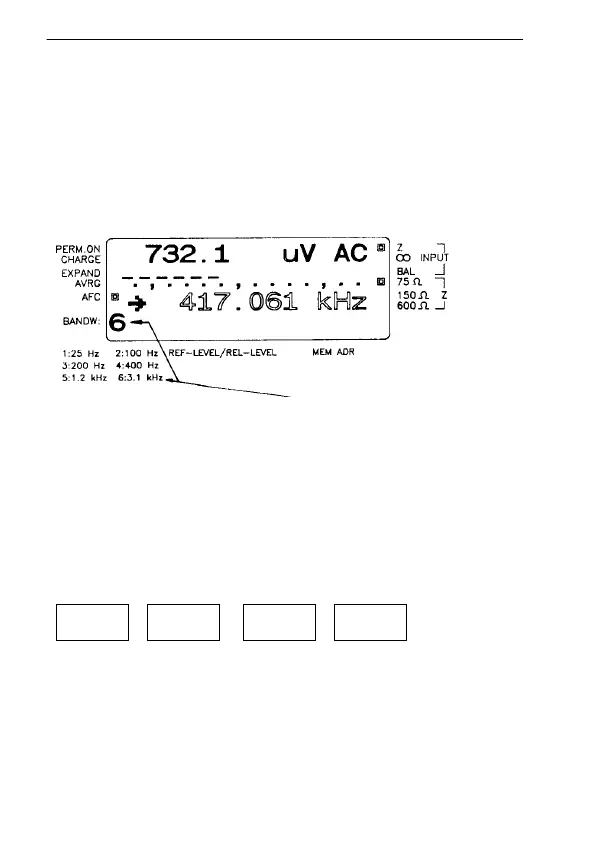
Indication of filter selected:
A number is shown in the lower left-hand corner of the
display.
Fig. 4-17 The example shows the 3.1 kHz filter is selected
Selecting the bandwidth:
Note: Bandwidth selection is explained using the SPM-34A
as an example.
The bandwidth is selected using the 4th row of keys.
45
6WIDE
25 100/200 400/1200 3,1 k



 To Next Page