Hardware Manual
14
Installation Procedures
This section describes the procedures in installing the camera on a surface such as the ceiling
or wall using the integrated bracket. Note that the succeeding camera pictures may slightly
vary from the other camera models covered in this manual.
Step 1: Prepare for Installation
1. If necessary, install a memory card into the memory card slot of the camera. See How to
Insert the Memory Card on page 39 for more information.
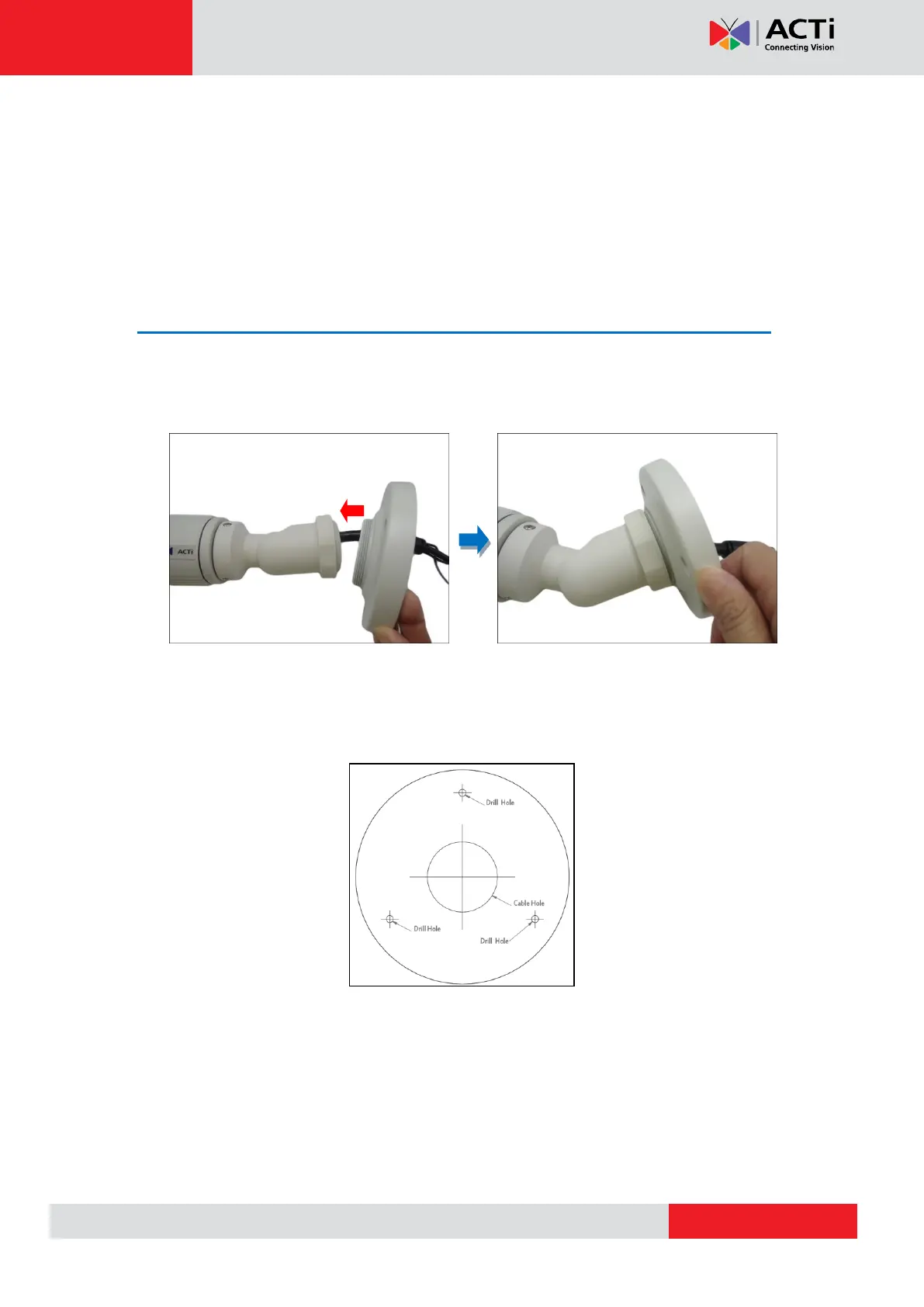
2. Attach the bracket to the camera.
3. Attach the supplied drill template sticker on the ceiling or wall where the camera will be
installed.
4. Drill three (3) screw holes based on the drill template.
5. If connecting digital input or output device, such as alarms, sensors, etc., to the camera,
prepare the terminal block for connection. See How to Connect DI/DO Devices on page
29 for detailed instructions.



 To Next Page