Hardware Manual
12
E416
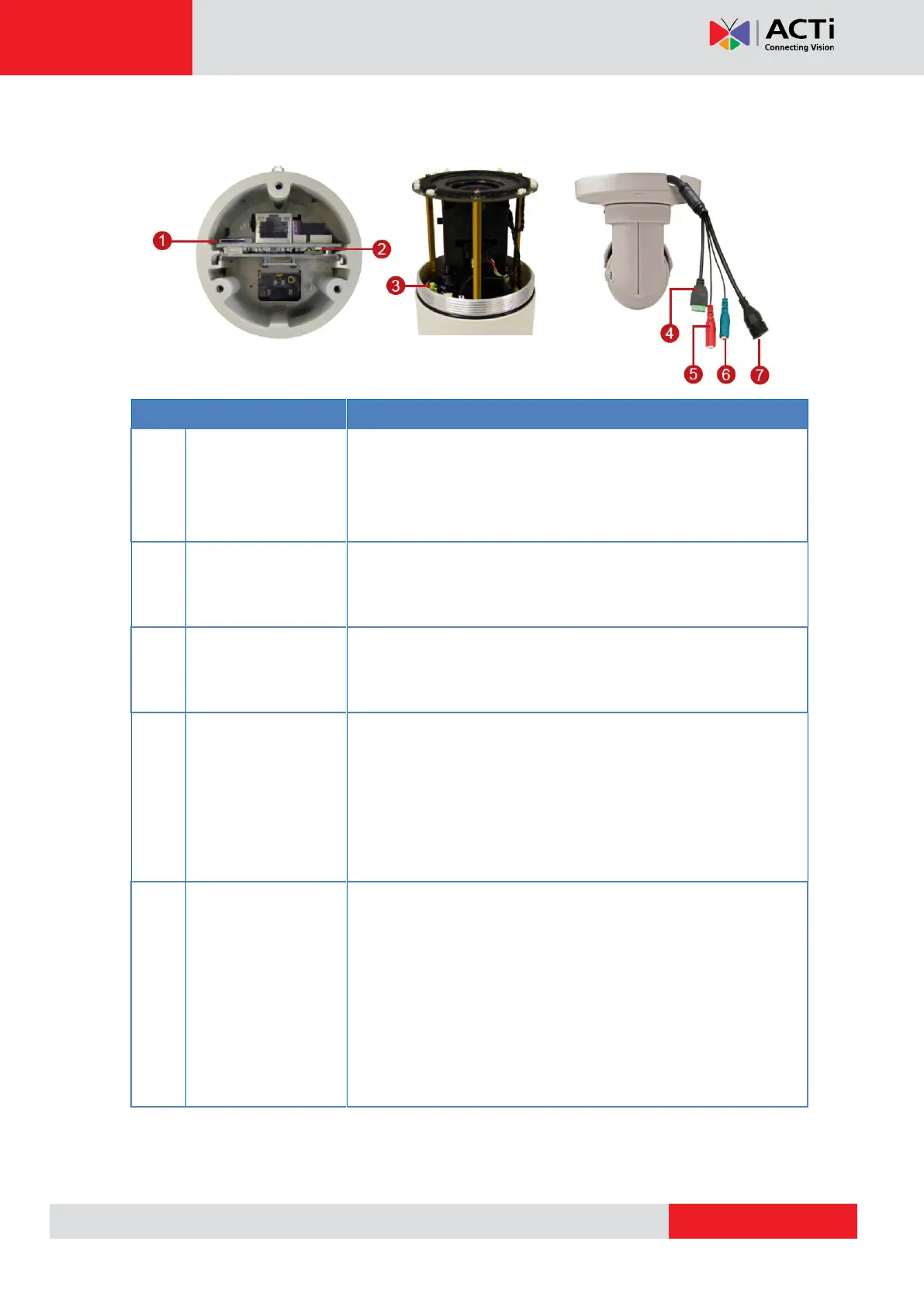
Insert a memory card into this slot for local recording purposes.
See How to Insert the Memory Card on page 39 for more
information.
NOTE: Supports microSDHC cards only.
The Power LED turns on when the camera is powered on and
goes off once the initial boot up process is complete. During a
reset, The Power LED also goes
Restores the factory default settings of the camera. Resetting the
camera must be done while the power is on. See How to Reset
the Camera on page 40 for more information.
Connects to digital input or output devices, such as an alarm
trigger, panic button, etc. Digital Input (DI) and Digital Output
(DO) devices are used in applications like motion detection,
event triggering, alarm notifications, etc. See How to Connect
DI/DO Devices on page 29 for information on how to connect
DI/DO devices to your camera.
Connects to audio input devices, such as a microphone with
built-in amplifier, etc.
NOTE 1: The microphone must have a built-in amplifier.
Connecting an ordinary microphone will dwarf sounds and will
result in inaudible recording.
NOTE 2: If the audio connectors will not be used, leave the
rubber caps on to ensure cables remain waterproof and eliminate
short-circuit hazards.



 To Next Page