Hardware Manual
39
How to Insert the Memory Card
If there is a need to install a memory card for local storage recording, insert the memory card
to the camera first before mounting the camera. Follow the procedures below:
NOTE: Camera images below may slightly differ from the actual camera.
1. Open the camera back cover. For detailed instructions, see:
a. Opening the Back Cover of E48, E416 on page 34.
b. Opening the Back Cover of E413, E415, E417, E418 on page 36.
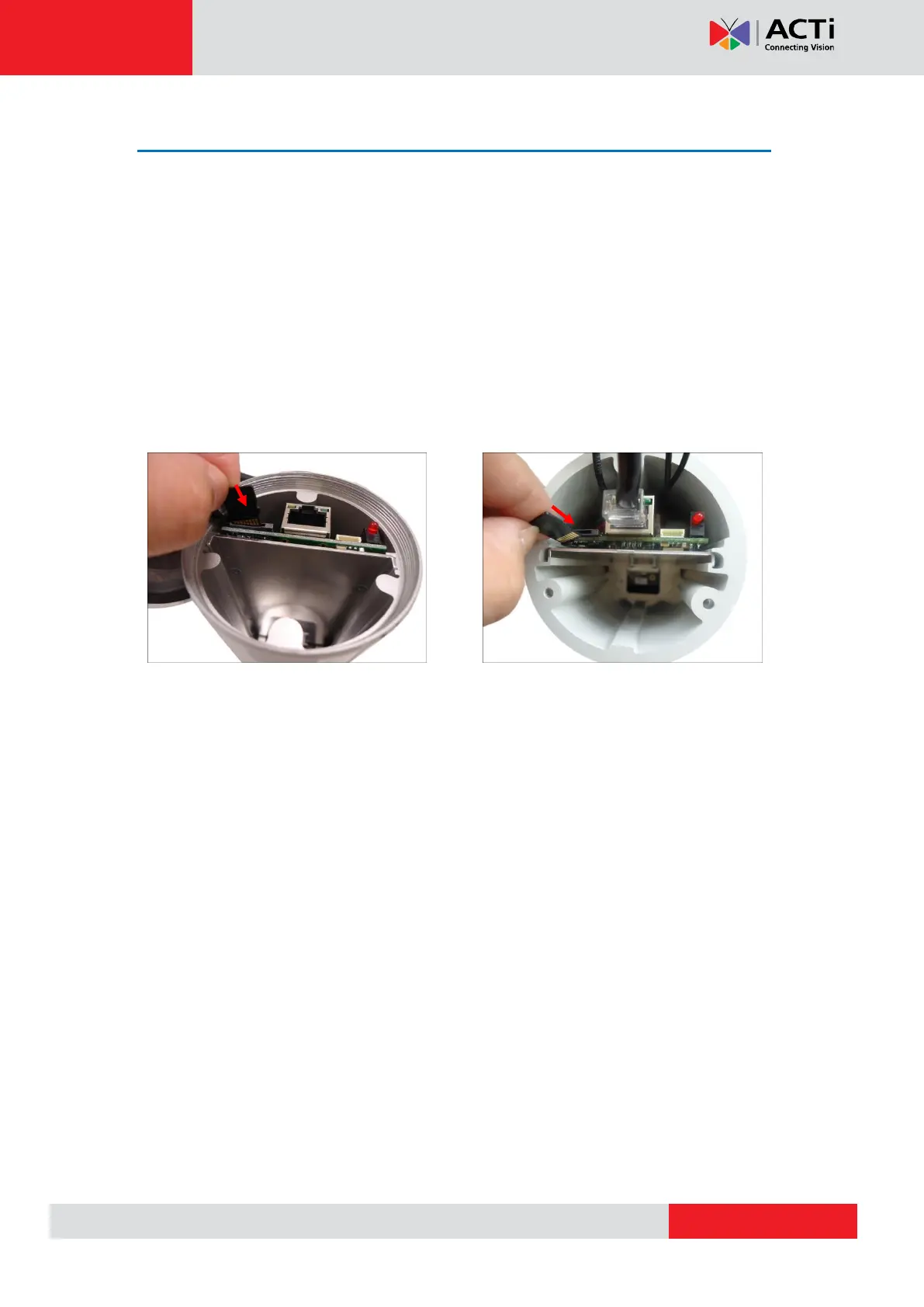
2. Insert the memory card, with the metallic contacts facing down, into the slot until it clicks
into place.
Example of E413 Example of E48
3. Close the back cover. For detailed instructions, see:
a. Closing the Back Cover of E48, E416 on page 35.
b. Closing the Back Cover of E413, E415, E417, E418 on page 37.
How to Remove the Memory Card
In case there is a need to remove the card, make sure to access the camera Web Configurator
to safely “unmount” the card first (see the camera Firmware Manual for more information).
Once unmounted from the firmware, push the card to eject it from the slot.



 To Next Page